-
Author: Anindita Barik
-
Updated Date: Apr-03-2026
-
Views: 2 Min Read
Google’s crawling in 2026 uses multiple specialized bots, not one Googlebot. HTML pages have a 2 MB limit—content beyond it isn’t indexed. Google processes only fetched bytes, while WRS renders pages by executing JavaScript and CSS. To optimize SEO, keep HTML lean, place critical tags early, and improve server speed for better crawl efficiency and visibility.
If you’ve been treating Googlebot as a single, monolithic spider quietly reading every byte of your pages, it’s time for an update. In a detailed post titled “Inside Googlebot: demystifying crawling, fetching, and the bytes we process,” Google’s Gary Illyes has pulled back the curtain on how the search giant’s crawling ecosystem actually works in 2026.
The disclosures have direct, actionable implications for your SEO strategy. This blog breaks down the key points and translates them into what matters for your website’s visibility
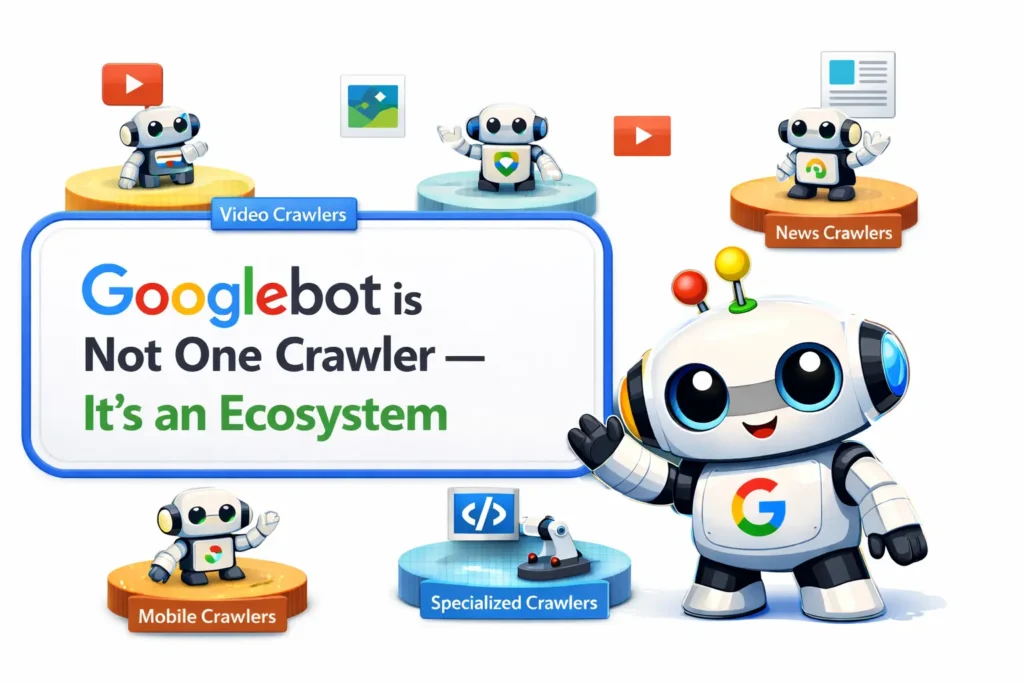
Googlebot is Not One Crawler — It’s an Ecosystem
The very word “Googlebot” conjures an image of a single bot visiting your site. That mental model is outdated. Google operates many distinct crawlers tuned to different purposes — from indexing HTML pages to fetching images, videos, and specialised content types.
Why does this matter? Because each crawler operates under its own rules, including separate byte-fetch limits. Blocking or allowing “Googlebot” in your robots.txt without understanding which specific bots matter for your content type can create unintended gaps in your indexing coverage.
The Byte Limits Google Crawlers Operate Under
One of the most practically important disclosures concerns the size limits Googlebot applies when fetching resources:
| Crawler / Content Type | Fetch Limit |
|---|---|
| Standard Googlebot (HTML pages) | 2 MB |
| PDF files | 64 MB |
| Image & video crawlers | Variable — depends on product |
| All other crawlers (default) | 15 MB |
The critical point: the 2 MB limit for HTML includes the HTTP response headers. So the effective budget for your actual HTML content is slightly less than 2 MB once headers are accounted for.
NOTE: For most websites the 2 MB limit is not an issue — but for large e-commerce pages, JavaScript-heavy SPAs, or pages with enormous inline data, it absolutely can be.
What Happens When Your Page Exceeds the Limit?
Google doesn’t simply reject oversized pages. The process is more nuanced — and understanding it explains why some content may be indexed while other parts mysteriously aren’t:
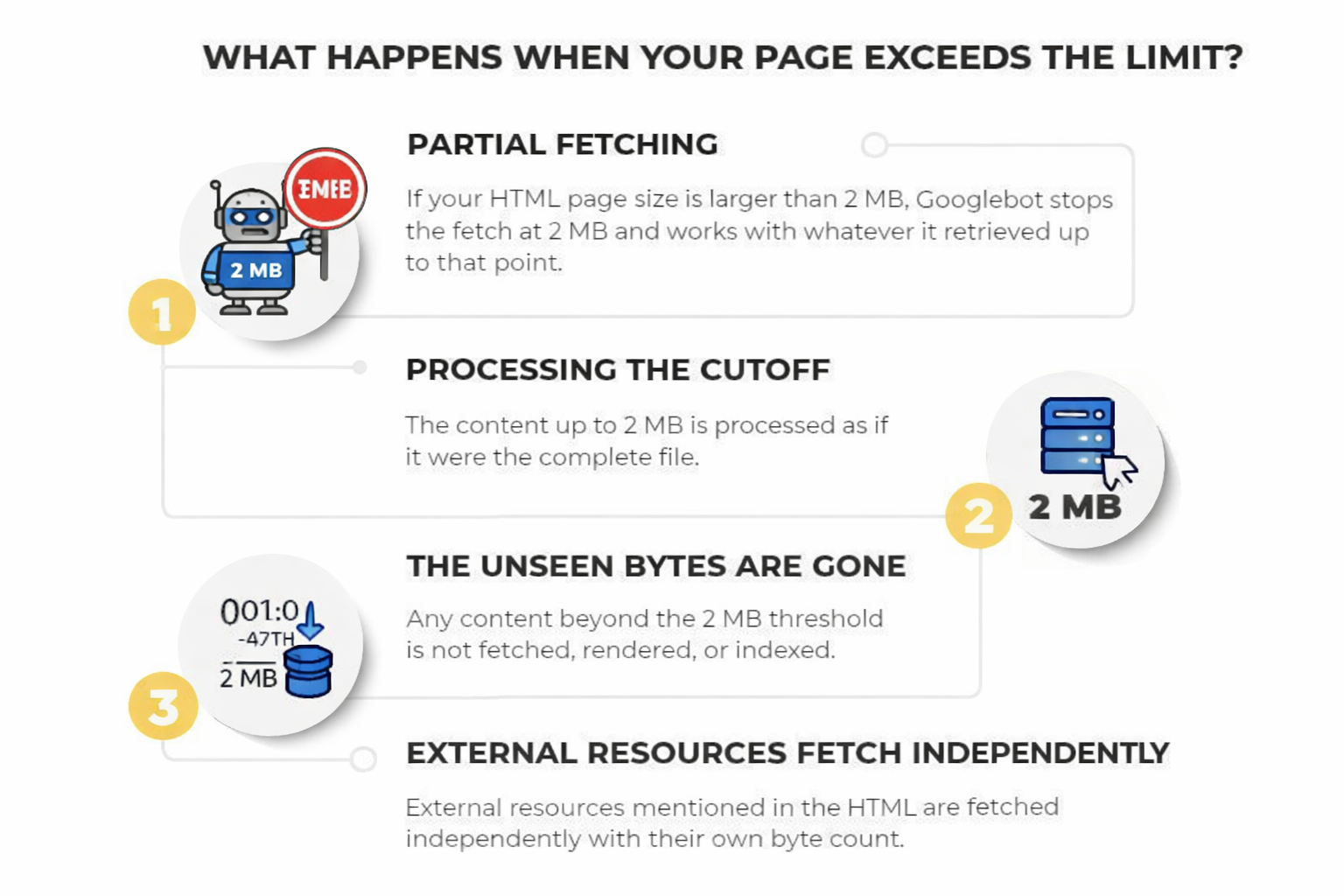
Step 1: Partial fetching — If your HTML file is larger than 2 MB, Googlebot stops the fetch precisely at the 2 MB cutoff and works with whatever it retrieved up to that point.
Step 2: Processing the cutoff — The downloaded portion (bytes 1 through the 2 MB mark) is handed to Google’s indexing systems and Web Rendering Service (WRS) as if it were the complete file.
Step 3: The unseen bytes are gone — Any content beyond the 2 MB threshold is not fetched, not rendered, and not indexed. It simply doesn’t exist from Google’s perspective.
Step 4: External resources fetch independently — Every resource referenced in the HTML is fetched by WRS with its own separate per-URL byte counter, not counting against the parent page’s 2 MB budget.
How Google’s Web Rendering Service (WRS) Works
Once Googlebot delivers the fetched bytes, the Web Rendering Service (WRS) takes over. WRS functions similarly to a modern browser: it executes JavaScript, processes CSS, and handles XHR requests to understand the final visual and textual state of a page.
GOOGLE’S OFFICIAL EXPLANATION : The WRS processes JavaScript and executes client-side code similar to a modern browser to understand the final visual and textual state of the page. Rendering pulls in and executes JavaScript and CSS files, and processes XHR requests to better understand the page’s textual content and structure.
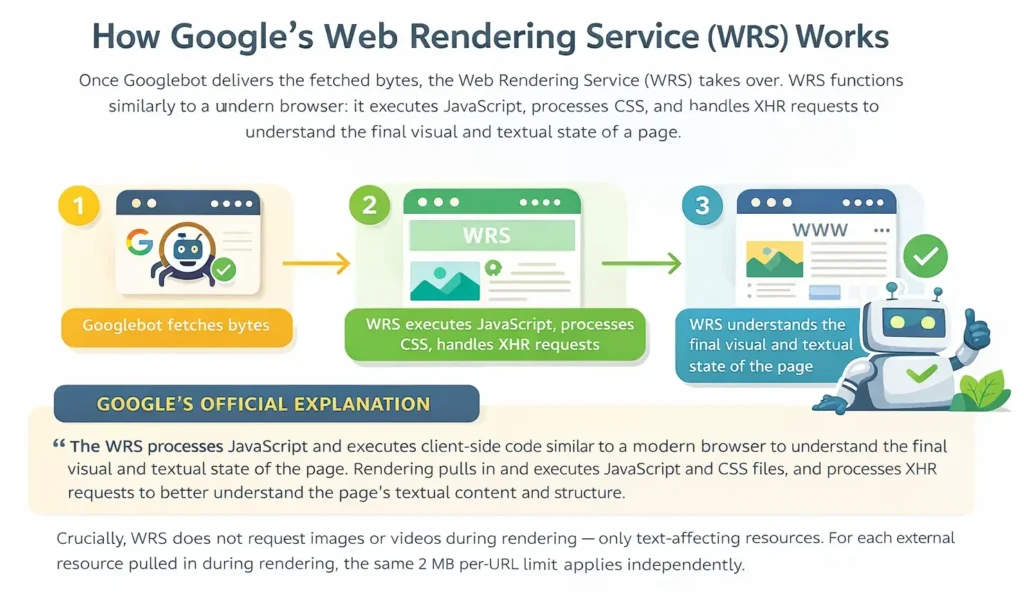
Crucially, WRS does not request images or videos during rendering — only text-affecting resources. For each external resource pulled in during rendering, the same 2 MB per-URL limit applies independently.
Three Best Practices to Act On Today
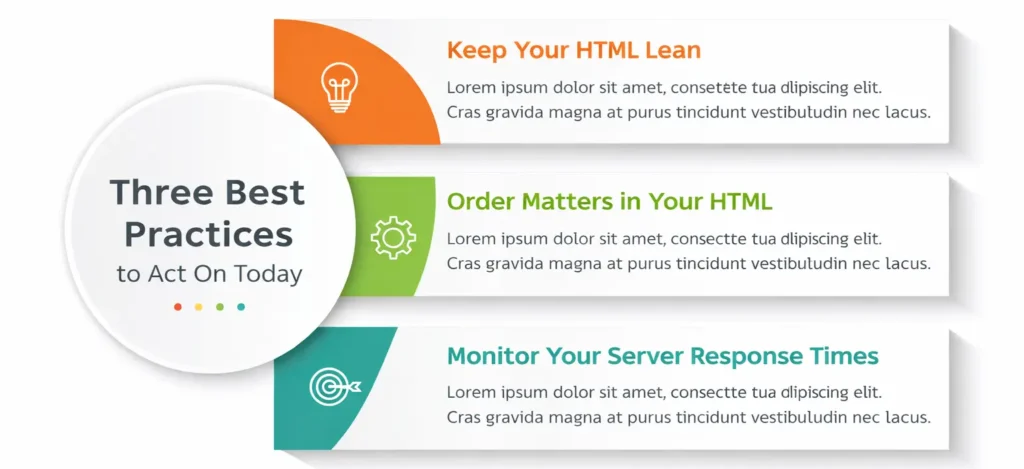
Keep Your HTML Lean
Move heavy CSS and JavaScript into external files. The initial HTML document is subject to the 2 MB cap, but each external stylesheet and script file is fetched with its own separate 2 MB budget. Inlining large blocks of code in your HTML is the fastest way to push critical metadata below the crawl horizon.
Order Matters in Your HTML
Place your most critical SEO elements — <title> tags, meta descriptions, canonical links, Open Graph tags, and essential structured data — as high in the document as possible. Elements pushed deep into a large HTML file may sit beyond the 2 MB cutoff and never be seen by Google.
Monitor Your Server Response Times
If your server is slow to deliver bytes, Googlebot’s fetchers will automatically throttle back their crawl rate. Slower servers mean fewer pages crawled per day — a problem that compounds for large sites. Regularly check server logs for crawl activity and response latency.
What this means for your SEO strategy in 2026
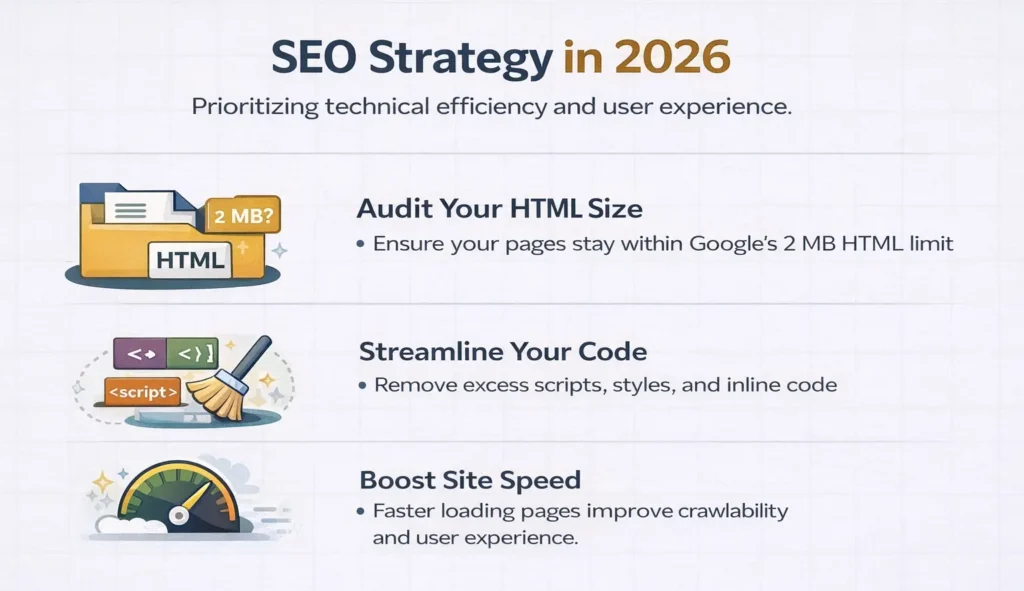
The disclosures from Gary Illyes are a reminder that technical SEO is not a set-and-forget discipline. Google’s crawling infrastructure is sophisticated, but it operates under real-world constraints — bandwidth, server load, byte budgets. The sites that earn the most thorough crawl coverage are the ones that make Googlebot’s job as easy as possible.
For most well-maintained websites, the 2 MB HTML limit is unlikely to be a problem. But for rapidly growing e-commerce platforms, news sites with complex templates, or any site where developers have historically treated the HTML document as a dumping ground for inline scripts and styles, an audit is warranted.
At PromotEdge, we recommend treating the 2 MB crawl budget as a useful forcing function: it pushes you toward leaner, better-structured HTML — which also happens to load faster for your users. Good technical SEO and good user experience point in the same direction.
FAQs
-
What is Googlebot?
Ans.Google's web crawler — actually a collection of specialised bots, not one — that fetches website content for Google's index. -
How much of a webpage does Google crawl?
Ans.Only the first 2 MB of any HTML page, including HTTP headers. Content beyond that is never fetched, rendered, or indexed. -
What is Google's crawl limit for PDFs?
Ans.64 MB. All other crawlers without a specified limit default to 15 MB -
Does Google crawl JavaScript content?
Ans.Yes, via its Web Rendering Service (WRS). Each JS file gets its own separate 2 MB fetch limit. -
Where should canonical tags go in HTML?
Ans.As high as possible in the document — before the 2 MB cutoff — so Google always finds them. -
Does page size affect crawl frequency?
Ans.Yes. Slow servers cause Googlebot to throttle back automatically, reducing how often your pages are crawled. -
Should CSS and JS be inline or external?
Ans.Always external. Inline code eats into the 2 MB HTML budget; external files each get their own separate limit. -
Does Google penalise large HTML pages?
Ans.No penalty, but content beyond 2 MB is ignored — meaning critical SEO tags could be missed if placed too deep.
Author Details

Latest Posts
-
 18 / Sep
Search Engine Optimization AI Is Changing Seo: You Still Rank, But Clicks Are Falling
18 / Sep
Search Engine Optimization AI Is Changing Seo: You Still Rank, But Clicks Are Falling -
 11 / Sep
-
 18 / Aug
Google Search Console Google Search Console For Social Media: How To Track Instagram, Tiktok, X And Youtube
18 / Aug
Google Search Console Google Search Console For Social Media: How To Track Instagram, Tiktok, X And Youtube -
 05 / Aug
SEO vs GEO vs AEO SEO vs GEO vs AEO: A Simple 2026 Comparison for Businesses
05 / Aug
SEO vs GEO vs AEO SEO vs GEO vs AEO: A Simple 2026 Comparison for Businesses -
 31 / Jul
Uncategorized How to Build a 90-Day Digital Marketing Plan That Works
31 / Jul
Uncategorized How to Build a 90-Day Digital Marketing Plan That Works



Blogs
Journey into Ideas Unveiling Tomorrow's Insights Today.















































































































-
What is Googlebot?
Ans.Google's web crawler — actually a collection of specialised bots, not one — that fetches website content for Google's index. -
How much of a webpage does Google crawl?
Ans.Only the first 2 MB of any HTML page, including HTTP headers. Content beyond that is never fetched, rendered, or indexed. -
What is Google's crawl limit for PDFs?
Ans.64 MB. All other crawlers without a specified limit default to 15 MB -
Does Google crawl JavaScript content?
Ans.Yes, via its Web Rendering Service (WRS). Each JS file gets its own separate 2 MB fetch limit. -
Where should canonical tags go in HTML?
Ans.As high as possible in the document — before the 2 MB cutoff — so Google always finds them. -
Does page size affect crawl frequency?
Ans.Yes. Slow servers cause Googlebot to throttle back automatically, reducing how often your pages are crawled. -
Should CSS and JS be inline or external?
Ans.Always external. Inline code eats into the 2 MB HTML budget; external files each get their own separate limit. -
Does Google penalise large HTML pages?
Ans.No penalty, but content beyond 2 MB is ignored — meaning critical SEO tags could be missed if placed too deep.