
























The channel everyone ignores but shouldn’t
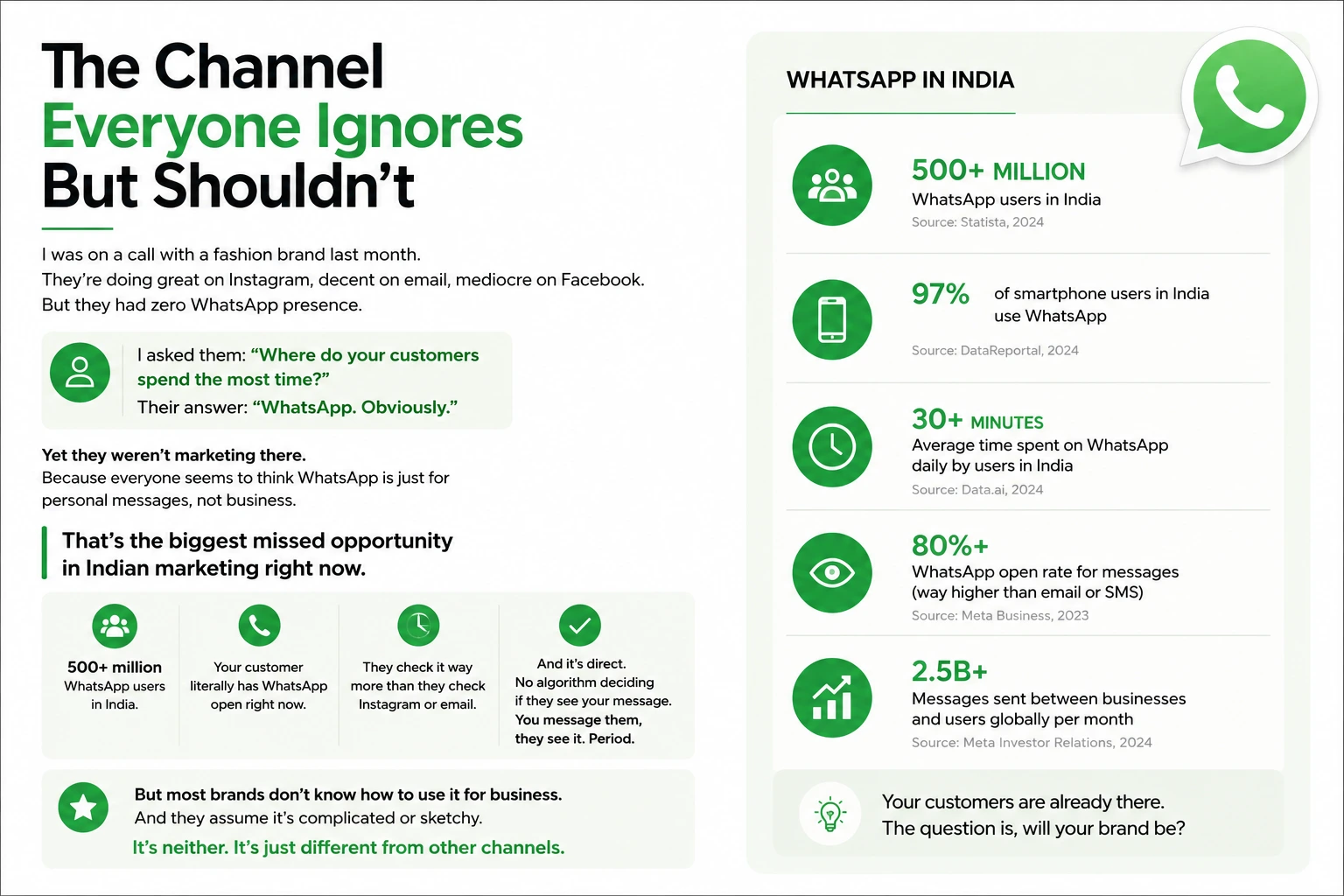
I was on a call with a fashion brand last month. They’re doing great on Instagram, decent on email, mediocre on Facebook. But they had zero WhatsApp presence.
I asked them: “Where do your customers spend the most time?”
Their answer: “WhatsApp. Obviously.”
Yet they weren’t marketing there. Because everyone seems to think WhatsApp is just for personal messages, not business.
That is a big missed opportunity in Indian marketing right now.
Hundreds of millions of people in India use WhatsApp. Your customer probably has it open right now and checks it more often than Instagram or email. And it’s direct. No algorithm decides if they see your message. You message them, they see it.
But most brands don’t know how to use it for business. They assume it’s complicated or sketchy. It’s neither. It’s just different from other channels.
WhatsApp Business App vs WhatsApp Business API: what matters
| Feature | WhatsApp Business App | WhatsApp Business API |
|---|---|---|
| Cost | Free | Pay per message (Rs 0.5-5 typically) |
| Message Volume | Manual, low volume | Automated, bulk campaigns |
| Automation | Basic auto-replies only | Full chatbots, workflows |
| Broadcast | No | Yes, send to thousands |
| Best For | Customer support, small businesses | E-commerce, service businesses, scale |
| Setup Time | 5 minutes | 2-5 business days (verification) |
Think of it this way. WhatsApp App is you answering customer messages manually. WhatsApp API is an employee handling customer messages automatically and sending broadcasts to your list.
If you’re doing more than 50 messages a day, API is worth it.
What you can do with WhatsApp
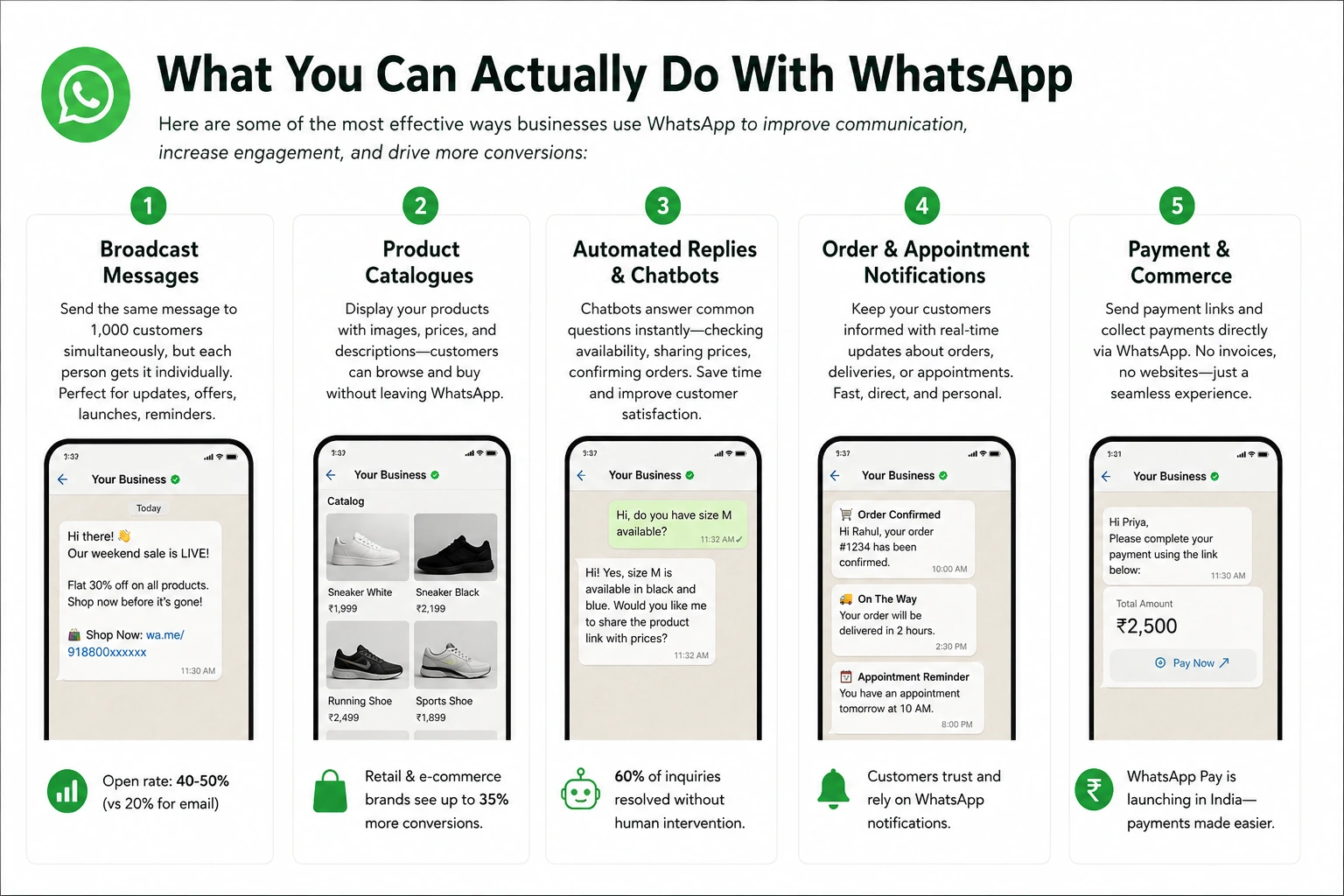
Here are some effective ways businesses use WhatsApp to talk to customers and get more conversions:
1. Broadcast messages
Send the same message to 1,000 customers at the same time. Each person gets it individually, not in a group, so it feels personal, not spammy. It works well for order updates, flash sales, new product launches and appointment reminders.
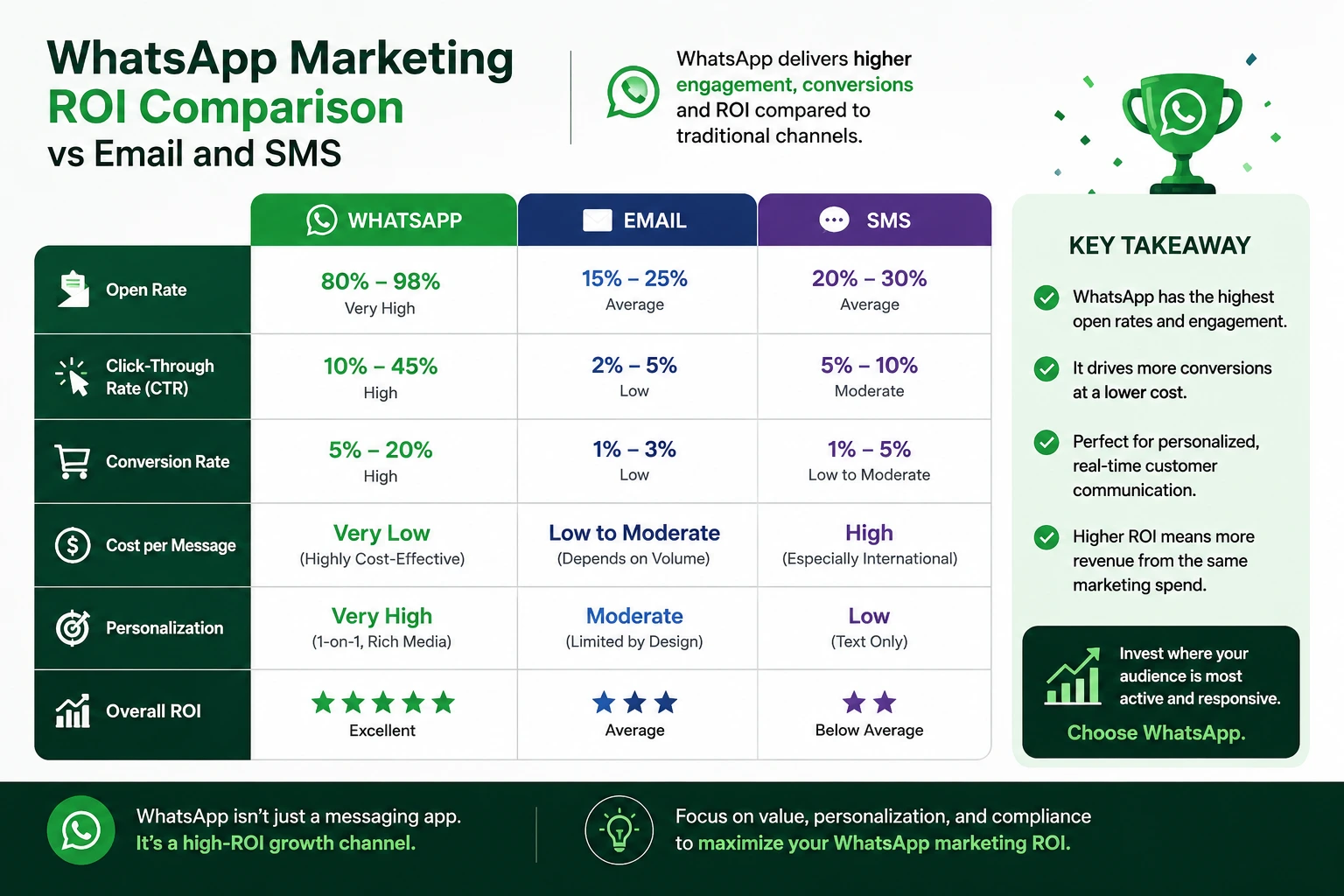
Open rates are usually much higher than email, because people check WhatsApp all day.
2. Product catalogues
Display your products directly in WhatsApp. Customers see images, prices, descriptions without leaving the app. Click to buy, payment link appears, transaction happens. No redirect to website, no friction.
E-commerce and retail brands do well with this. It works well when the catalogue is added to the existing checkout flow.
3. Automated replies and chatbots
Customer messages “Hi, do you have size M available?” Chatbot responds automatically with size checking, pricing, ordering link. Many inquiries get resolved without human intervention. So your team can focus on complex issues, not answering the same question 100 times a day.
This helps service businesses a lot. Education centres, healthcare and real estate all benefit from WhatsApp bots.
4. Order & appointment notifications
Customers care about order status more than they care about anything else. WhatsApp notifications are perfect for this. “Your order shipped,” “Delivery in 2 hours,” “Appointment reminder tomorrow 10 AM.”
Fast, direct, personal. Way better than email.
5. Payment and commerce
Send payment links via WhatsApp. Customer clicks, pays, done. No need for invoices or websites. This suits service providers, consultants, freelancers and small businesses.
WhatsApp Pay is also rolling out in India, so you may soon collect payment directly inside WhatsApp.
The compliance part (important, not boring)
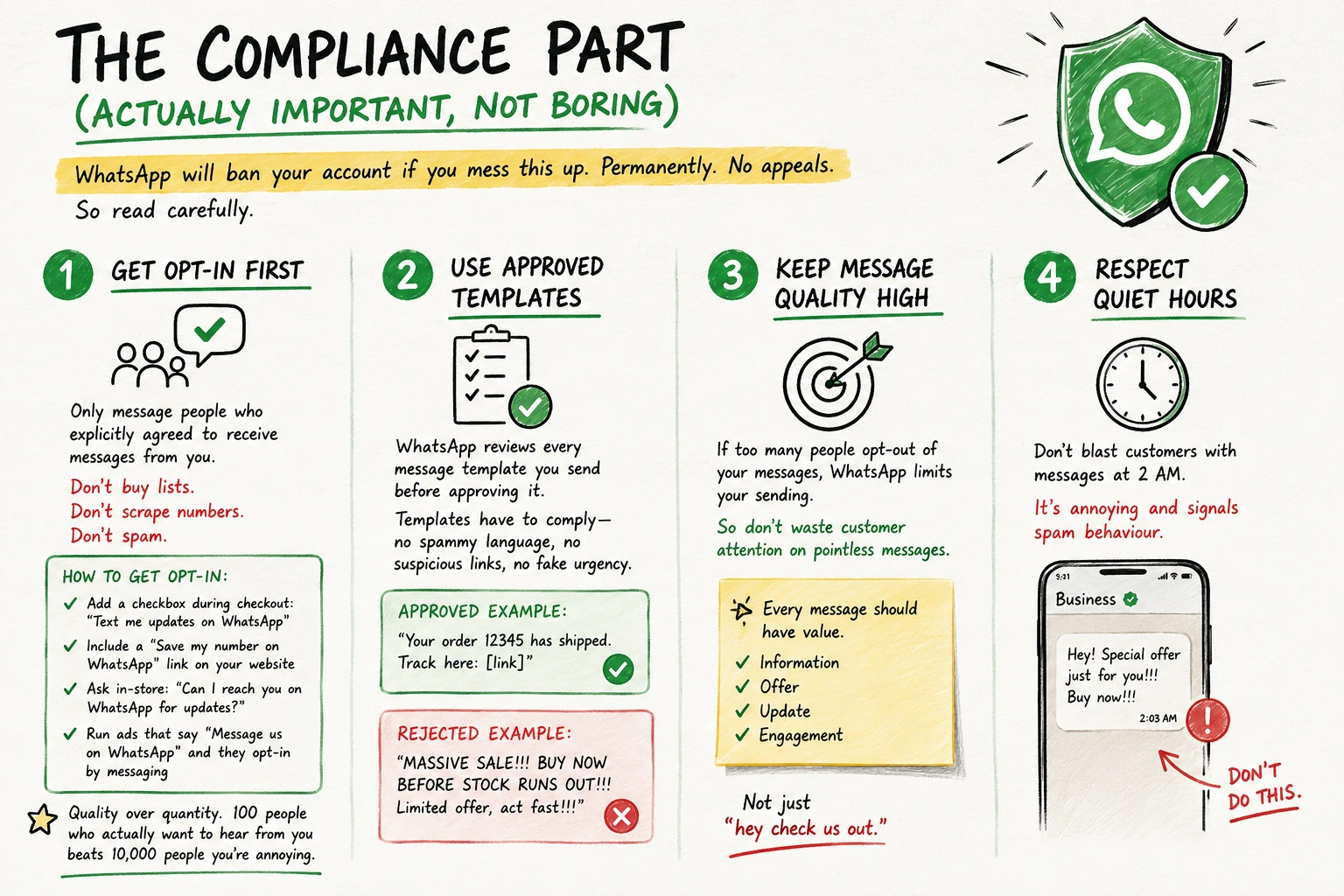
WhatsApp will ban your account if you mess this up. Permanently. No appeals. So read carefully.
1. Get opt-in first
Only message people who explicitly agreed to receive messages from you. Don’t buy lists. Don’t scrape numbers. Don’t spam.
How to get opt-in:
- Add a checkbox during checkout: “Text me updates on WhatsApp”
- Include a “Save my number on WhatsApp” link on your website
- Ask in-store: “Can I reach you on WhatsApp for updates?”
- Run ads that say “Message us on WhatsApp” and they opt-in by messaging
- Quality over quantity. 100 people who actually want to hear from you beats 10,000 people you’re annoying.
2. Use approved templates
WhatsApp reviews every message template you send before approving it. Templates must follow the rules. No spammy language, no suspicious links, no fake urgency.
Approved: “Your order 12345 has shipped. Track here: [link]”
Rejected: a message full of capital letters, exclamation marks and fake urgency, such as “MASSIVE SALE, BUY NOW BEFORE STOCK RUNS OUT, limited offer, act fast”.
3. Keep message quality high
If too many people opt-out of your messages, WhatsApp limits your sending. So don’t waste customer attention on pointless messages.
Every message should have value. Information, offer, update, or engagement. “Hey, check us out” is not enough.
4. Respect quiet hours
Don’t blast customers with messages at 2 AM. It’s annoying and signals spam behaviour.
Building your WhatsApp list
Your WhatsApp list is a valuable asset. Treat it like one.
- Checkout: “Get order updates on WhatsApp?” checkbox during payment.
- Website popup: “Save this number in your phone for exclusive updates.”
- QR codes: display them in-store or in ads. A scan opens a WhatsApp chat with your business. They message, they’re opted in.
- Email footer: “Text HELLO to [number] on WhatsApp for updates.”
- Click-to-WhatsApp ads: run Instagram/Facebook ads that open WhatsApp when clicked. They message, they’re in.
Growth is slow and steady (as it should be). You’re not buying lists. You’re earning a list of people who actually want to hear from you.
Campaign types that work
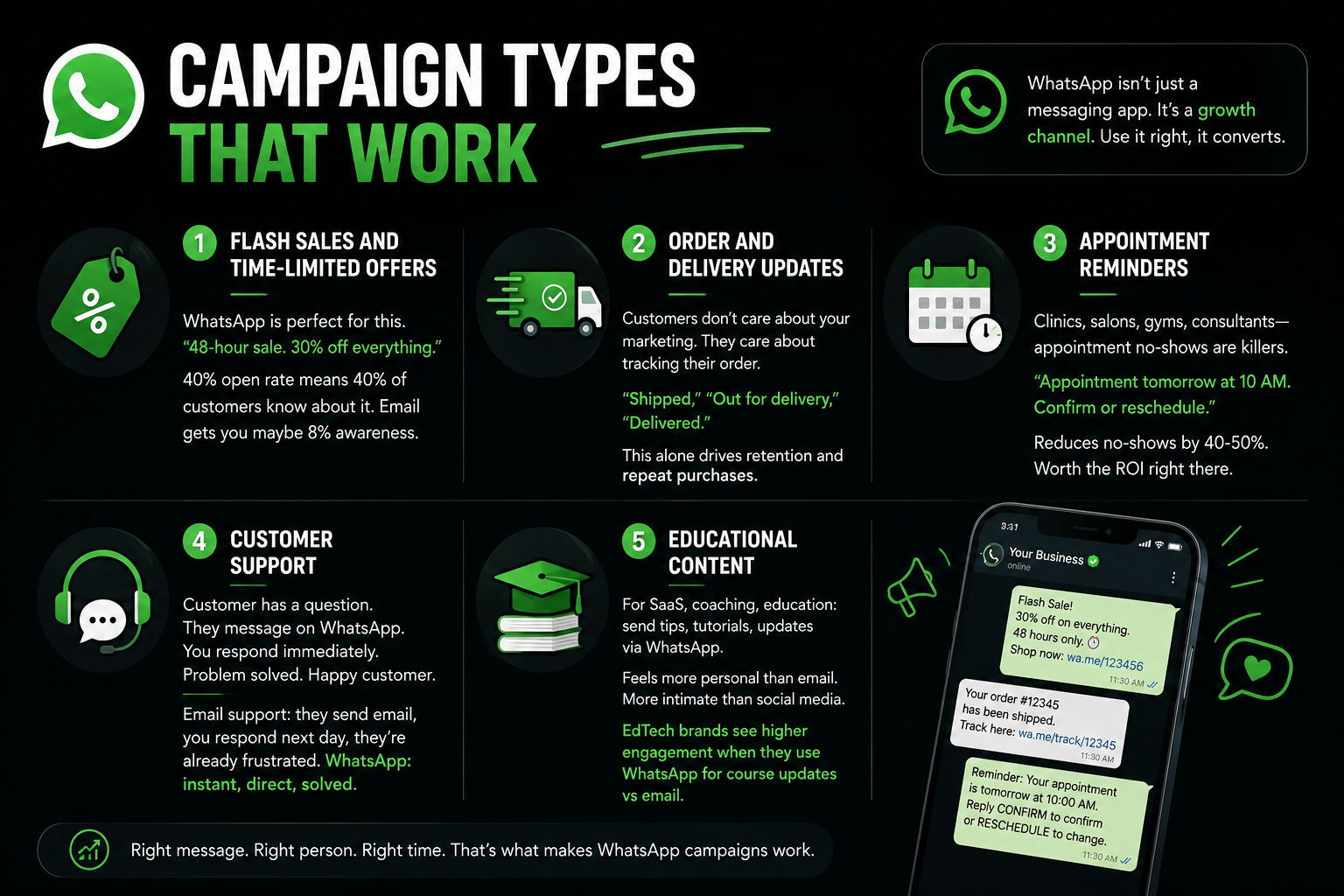
Flash sales and time-limited offers
WhatsApp suits this well. A message like “48-hour sale, 30% off everything” gets seen quickly, because most people open WhatsApp messages. Email usually reaches fewer people.
Order and delivery updates
Customers don’t care about your marketing. They care about tracking their order. WhatsApp notifications show you care. “Shipped,” “Out for delivery,” “Delivered.”
This alone drives retention and repeat purchases.
Appointment reminders
For clinics, salons, gyms and consultants, appointment no-shows hurt. WhatsApp reminder: “Appointment tomorrow at 10 AM. Confirm or reschedule.”
It reduces no-shows, and that alone can justify the cost.
Customer support
A customer has a question. They message on WhatsApp. You respond immediately. Problem solved. Happy customer.
Email support: they send email, you respond next day, they’re already frustrated. WhatsApp: instant, direct, solved.
Educational content
For SaaS, coaching, and education brands, WhatsApp helps deliver tips, tutorials and updates in a personal way. It works well alongside social media optimisation strategies.
EdTech brands can get more engagement by using WhatsApp for course updates instead of email.
Integration with your other tools
WhatsApp API can integrate with:
- CRM: customer data syncs. You know order history, preferences, communication history.
- E-commerce: automatic order notifications. Catalogue syncing.
- Email: customers get WhatsApp for transactional updates, email for marketing. Different purposes.
- Forms: customer fills form, WhatsApp sends confirmation and follow-up.
The magic happens when WhatsApp is part of your digital marketing ecosystem, not a separate channel.
Common mistakes
- Spamming: sending 5 messages a day kills your reputation and gets you limited/banned.
- Buying lists: messaging people who didn’t opt-in. WhatsApp detects this and penalizes you.
- Being too salesy: every message is a sales pitch. People opt-out fast.
- Ignoring compliance: using unapproved templates, not respecting opt-outs, spammy language.
- Vague ROI tracking: sending messages but don’t track conversions or opens. Can’t improve what you don’t measure.
- No strategy: just messaging randomly whenever you feel like it. Consistency and planning matter.
WhatsApp works because it’s personal and direct. Respect that.
Setting up WhatsApp right now
Option 1: Start Free
Download app. Set up business profile. Add auto-replies. Start answering customer messages. Takes 30 minutes. Cost: zero.
Option 2: Scale with the API
Choose a provider like Meta, Twilio, or MessageBird. Get verified, set up templates, and connect your CRM or store. This supports better digital marketing for ecommerce business growth.
Setup: 5-10 days. Cost: per message + software fee (usually Rs 5,000-20,000/month for volume).
If you’re processing 500+ customer messages/month, API pays for itself.
Ready to turn WhatsApp into a business channel?
We can help you set up WhatsApp marketing correctly, with the tools and the strategy behind them to build retention and loyalty. We can't do magic alone.


