
























This guide shows you how to set up, verify and optimise your Google Business Profile using local SEO (search engine optimisation) practices that work. You will learn how to improve your local rankings and manage reviews. You will learn how to use the profile features and avoid common mistakes. You will also learn how to turn your listing into a steady source of leads and customers.
Why your local business is invisible on Google
Business owners come to us with the same complaint. They include a salon owner in Delhi, a restaurant in Pune and a diagnostic centre in Hyderabad. They say, “We’re not showing up on Google Maps. People can’t find us.”
So we ask: “Do you have a Google Business Profile?”
The answer is often a blank look, or “We have a website, isn’t that enough?”
It isn’t. Your website doesn’t put you on the map, your Google Business Profile does. If you’re not there, you lose customers every day to competitors who are.
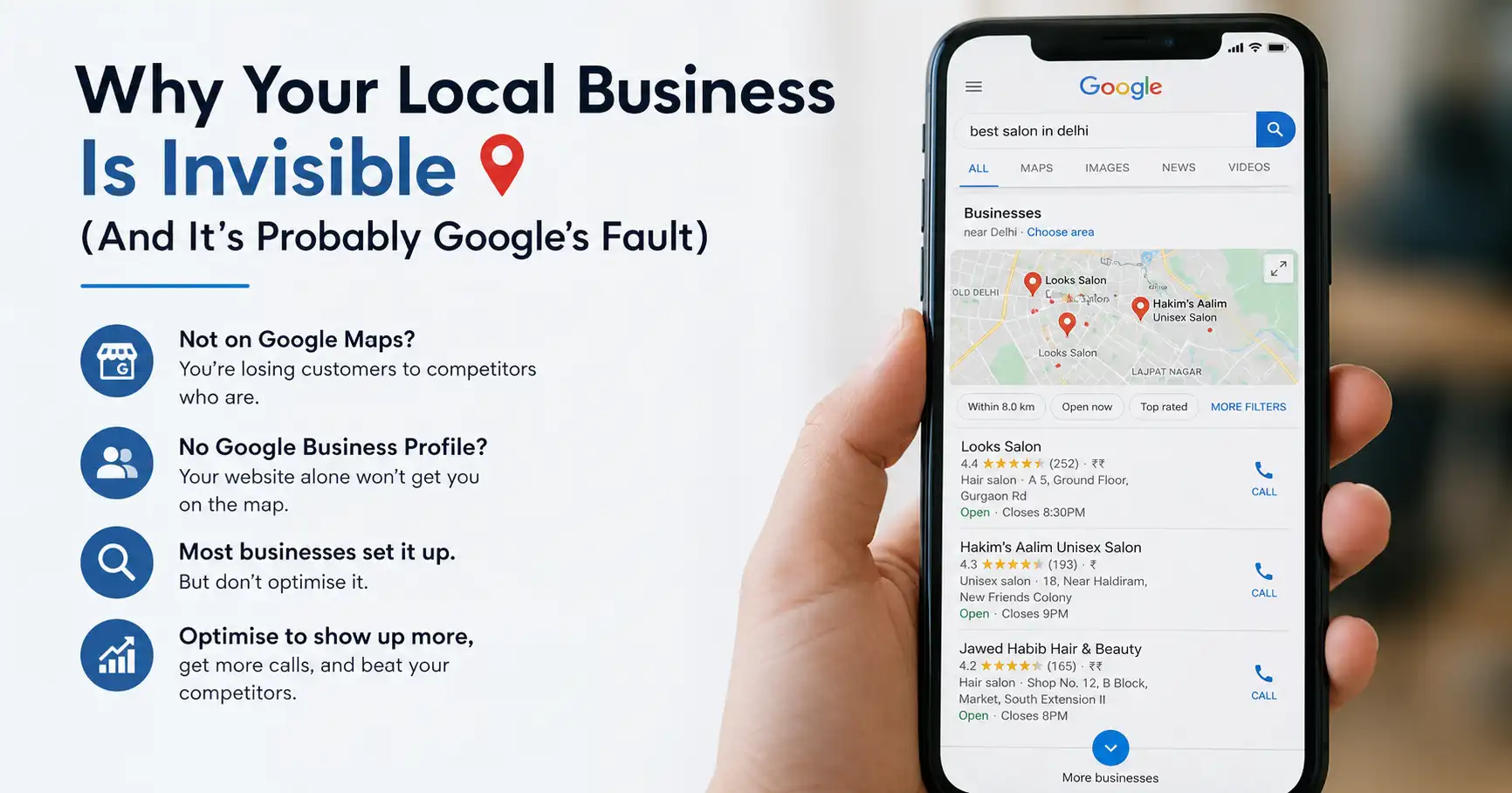
Most people set up a profile and stop there. This guide goes further, so you show up in more searches, get more calls and beat the competitors in your own neighbourhood.
What is Google Business Profile
Google Business Profile is your business’s presence on Google. It used to be called Google My Business, and Google renamed it in 2021. When someone searches for “pizza near me”, “plumber Bangalore” or “best eyewear shop in Salt Lake”, Google pulls from Business Profiles, not websites.
It is a free listing service that puts your business on Google Search and Google Maps. The little box with your address, hours, phone number, customer reviews and photos is your Business Profile.
Why does this matter more than your website? Because someone searching locally is usually ready to buy. They are not researching. They want the nearest good option, and they need directions or a phone number. Your website sits in the background while your Google Business Profile gets the action. This is the main difference between SEO vs SEM for local businesses. Someone searching “diagnostic centre near me” on Google Maps has already decided they need a test. So your job is to be visible and credible at that moment.
In our experience, a good share of a local business’s leads can come straight from Google Maps, without the website or ads. It only takes showing up properly in Maps.
Setting up your profile
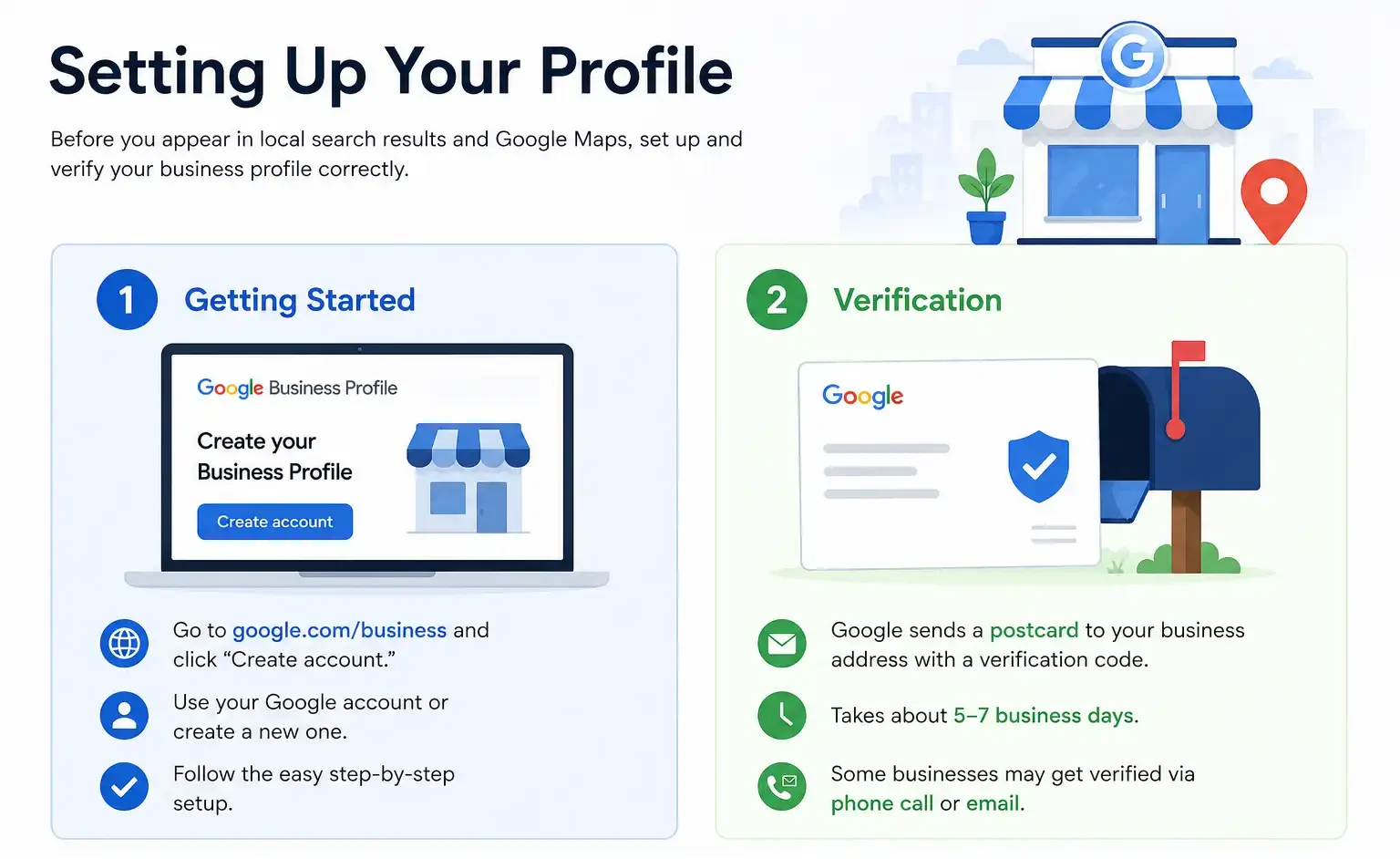
To appear in local search results and Google Maps, you need to set up and verify your business profile correctly. Here is how.
1. Getting started
Go to google.com/business and click “Create account”. You need a Google account, and if you don’t have one, Google will walk you through creating it. This part is easy. The slow part is the next step.
2. Verification
Google needs to confirm that you own or manage the business. It sends a postcard with a verification code to your registered business address. This takes about 5-7 business days. Some businesses get verified by phone call. If you are in a specific category, such as healthcare provider or lawyer, you might get email verification instead.
This is where people get impatient. Some clients create their profile on Monday and want results by Thursday, when the postcard has not even arrived. You need some patience here.
Complete your business information
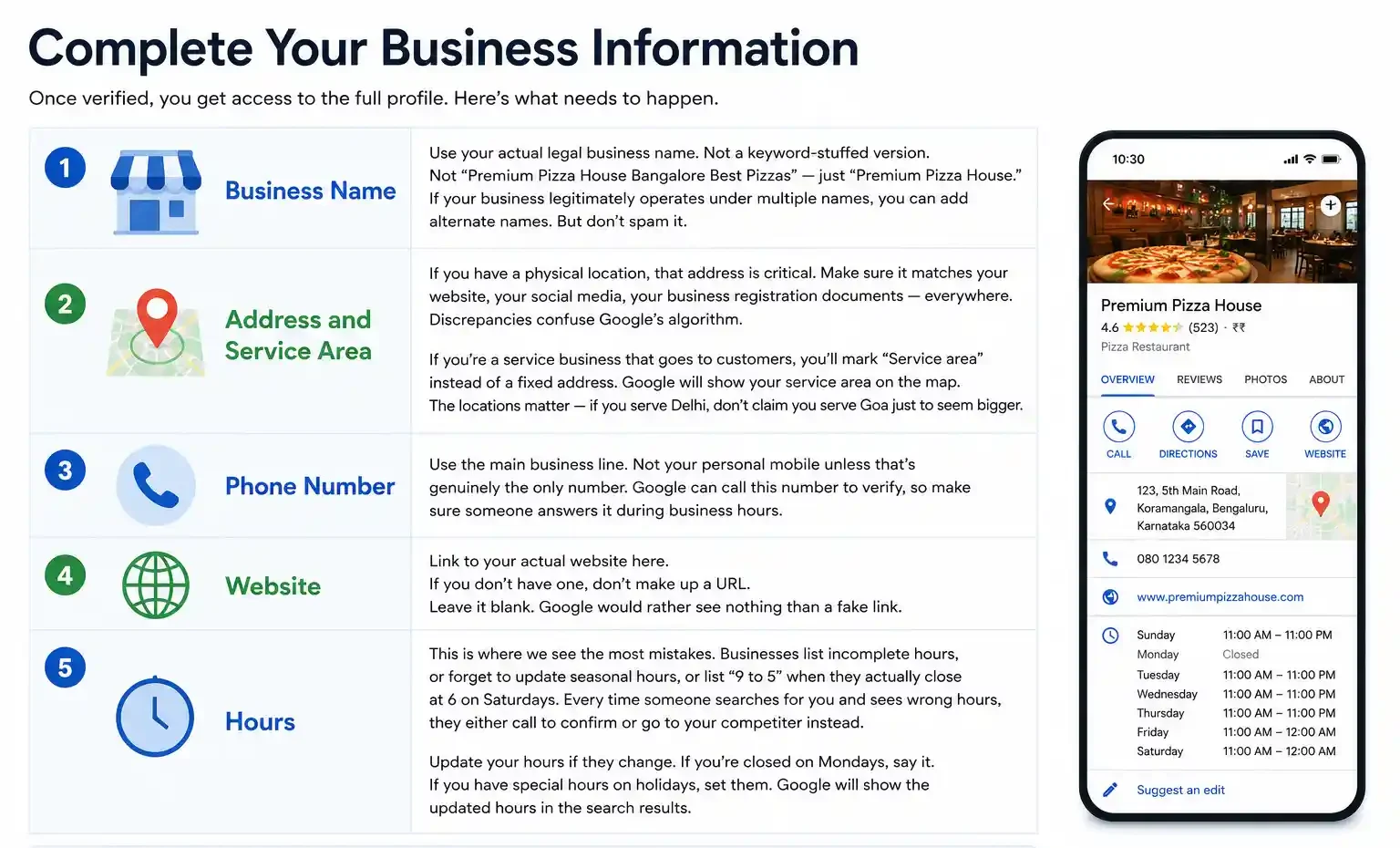
Once you are verified, you get access to the full profile. Here is what to fill in, step by step.
1. Business name
Use your actual legal business name, without extra keywords. Write “Premium Pizza House”, not “Premium Pizza House Bangalore Best Pizzas”. Your business may really operate under more than one name (some restaurants have a legal name and a trading name). Then you can add alternate names. But don’t stuff them in.
2. Address and service area
If you have a physical location, the address matters a lot. Google uses it to decide local relevance. Make sure it matches your website, your social media and your business registration documents. Mismatches confuse Google’s algorithm. This NAP consistency (Name, Address, Phone) is the same principle covered in our guide on Google My Business optimisation. Google rewards signals that match across every online property. It penalises inconsistency.
Are you a service business that goes to customers (electrician, plumber, home repair)? Then mark a “Service area” instead of a fixed address. Google will show your service area on the map. Be honest about the locations. If you serve Delhi, don’t claim Goa just to look bigger.
3. Phone number
Use the main business line, and use your personal mobile only if it is the one number you have. Google can call this number to verify you, so make sure someone answers it during business hours.
4. Website
Link to your actual website here. If you don’t have one, leave it blank rather than making up a URL. Google would rather see nothing than a fake link.
5. Hours
This is where we see the most mistakes. Businesses list incomplete hours. They forget to update seasonal hours. Or they write “9 to 5” when they close at 6 on Saturdays. When someone sees the wrong hours, they either call to confirm or go to your competitor.
Update your hours whenever they change. If you are closed on Mondays, say so. If you have special hours on holidays, set them. Google shows the updated hours in the search results.
Categories and description
Pick your primary category carefully. You get one primary category and several secondary ones. If you are a restaurant, your primary is “Restaurant”. You can add “Indian Restaurant” or “Vegetarian Restaurant” as secondary ones. Google uses these to understand what you do and when to show you in searches.
The description is your chance to explain what makes you different, in 750 characters. Don’t waste it on lines like “Welcome to our business”. Write something customers will find useful. An example is “Family-run Bengali restaurant, no MSG, traditional recipes, dine-in and home delivery available.” That tells Google what you do and tells customers why they should care.
Photos help people find and choose you
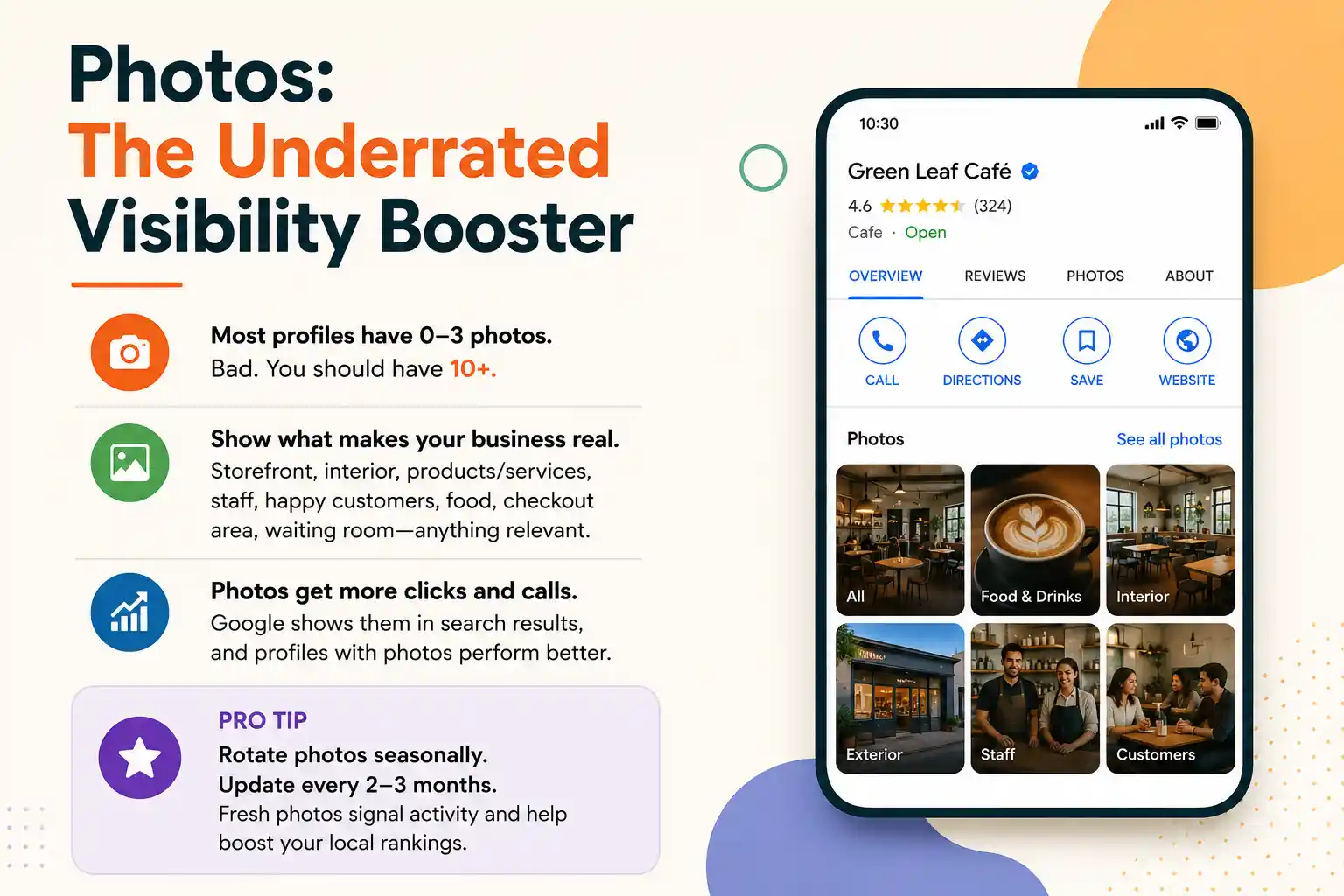
Many profiles have only a few photos. Aim for at least 10.
Add photos of your storefront, interior, products or services in action, and staff, plus happy customers if you can. Restaurants should add food photos, and clinics can show the waiting room. Google shows these photos in search results, and profiles with photos tend to get more clicks and calls than those without.
Pro tip: refresh your photos with the seasons, or every 2-3 months if that suits your business. Fresh photos show that the profile is active, and profiles with recent activity can rank higher.
Managing reviews
Reviews show up prominently on your profile. They matter to Google’s algorithm. Profiles with more reviews tend to rank higher for local searches. So a profile with many good reviews can beat one with a slightly higher rating and only a handful. Our Google My Business optimisation tips guide goes deeper on review volume and profile completeness.
Responding to reviews
Always reply when someone leaves a review. For a good review, say thank you. For a bad review, don’t get defensive, but explain your side. For example: “We’re sorry you had that experience. We’d love to make it right. Please call us directly at [number].”
Ignoring reviews makes you look like you don’t care. Replying to all of them, good and bad, tells Google and customers that you actively manage the business.
Getting more reviews
You can’t demand reviews, but you can ask. After a good experience, say something like “If you had a good experience, we’d love a review on Google. Here’s the link.” Some businesses put a QR code that links straight to their review page. Others send a follow-up email or text after a purchase.
Make it easy. The harder someone has to work to leave a review, the fewer reviews you will get.
Posts: the feature few businesses use
Google lets you post directly on your Business Profile. You can share updates, promotions, new product announcements and event info. Most businesses never use this feature, so if you do, you are already ahead.
Post at least once every 1-2 weeks, and keep it relevant, such as a holiday discount, a new service line or an event. Google shows these posts in the search results and on your profile. Fresh posts show activity, and people sometimes click them.
Keep posts short. “Monsoon special: 30% off all water-resistant coatings this week. Valid till [date].” is enough. Link to your website if it is relevant, but most posts don’t need a link.
Insights: the data that matters
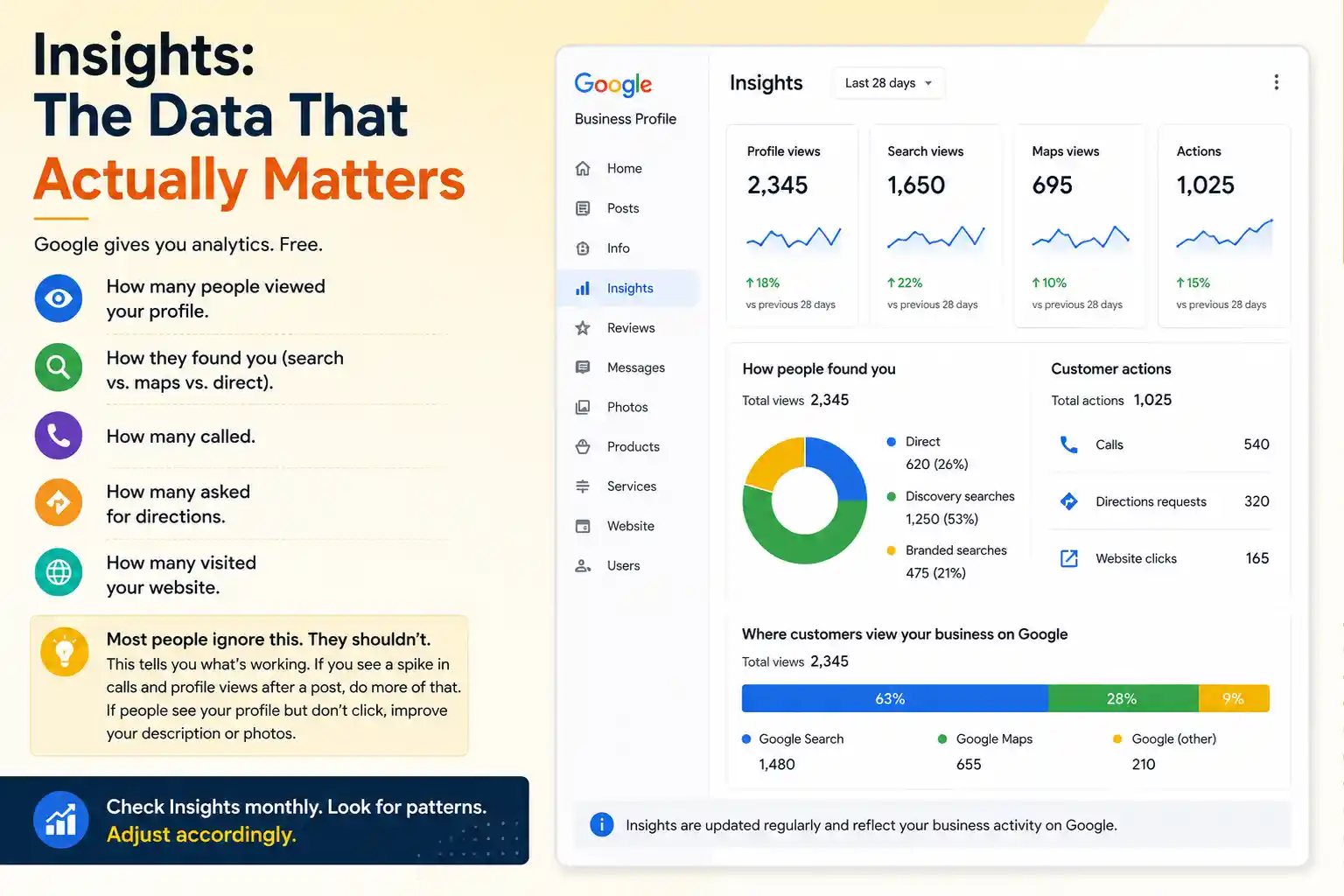
Google gives you free analytics. You can see how many people viewed your profile. You can see how they found you (search, maps or direct). You can see how many called, how many asked for directions and how many visited your website.
Most people ignore this, but it tells you what is working. If you posted a monsoon special and calls and profile views jump, do more of that. If your profile appears in searches but nobody clicks, your description or photos may need work.
Check Insights monthly, look for patterns and adjust.
Best practices to beat local competition
Creating a Google Business Profile is only the start. To stay ahead of competitors in local search, you need to keep optimising and maintaining it.
- Keep information updated
This is the most common failure point. Your address changes, hours shift with the season, your phone number changes or your website gets a new domain. If you update Google first, everything stays in sync. If you update your website and forget Google, you now have conflicting information, and Google gets confused.
- Consistency across the web
Your business name, address and phone number should be identical everywhere. That means business registration, website, social media, Google Business and directory listings. Inconsistencies tell Google something is wrong. A salon may be listed as “Salon XYZ” on Google, “Salon XYZ Studio” on Instagram and “XYZ Salon” on its website. That confuses the algorithm and might split its visibility.
- Encourage reviews from repeat customers
Quantity is only part of it. A review from a long-time customer can carry more weight than one from a one-time buyer. Regular reviewers show Google that you have a loyal base.
- Use all available features
Google keeps adding features to Business Profiles. Use the Q&A section to answer questions about your business before people ask. Restaurants can use the attributes section to list the special diets they serve. There are also a menu section and booking integration. Use whatever is relevant to your business.
- Track mobile search visibility
Most local searches happen on mobile. Someone is on their phone, searching “gym near me” while walking, and your Google Business Profile shows you in that moment. If your profile isn’t optimised, you don’t exist in that search.
Common mistakes
- Duplicate profiles happen. You create one, someone else on your team creates another, and there may be old profiles from before Google rebranded. Google sometimes sees duplicates as spam and might suppress both. Claim and verify all your profiles, and delete the extras if they are true duplicates.
- A missing business type hurts you. If you run a diagnostic centre but don’t select it as your category, Google can’t show you in “diagnostic centre near me” searches. The category decides your visibility.
- No photos, or outdated photos, send the wrong signal. A 3-year-old photo of your salon tells customers you haven’t updated anything in three years. Fresh photos tell Google you are active, and they attract more clicks.
- Ignoring the verification postcard costs you visibility. It sometimes gets lost in the mail, so if it hasn’t come after 10 days, request a new one. Unverified profiles show up in Google Search but not in Maps.
What if you have multiple locations?
Each location needs its own profile. Google’s Business Profile management tool lets you manage them all from one dashboard. You can add team members, set permissions and track metrics across locations.
This gets complex with many locations, and a large chain may need an agency to handle it. For 2-5 locations, Google’s management tool works fine.
Fit your profile into your wider digital plan
Google Business Profile works best as part of a bigger plan. Your local SEO strategy should include an optimised Google Business Profile and a mobile-friendly website. It should also include consistent NAP information, local backlinks and location-specific content on your website.
For local businesses we usually recommend a strong Google Business Profile and a good website. We also recommend consistent directory listings (like JustDial) and active review sites in your industry. Add targeted local ads when the budget allows. Google Business Profile is the foundation of that system.
Have technical questions on how your profile connects to your website’s SEO? Our technical SEO guide covers the deeper aspects.
What you get back (ROI)
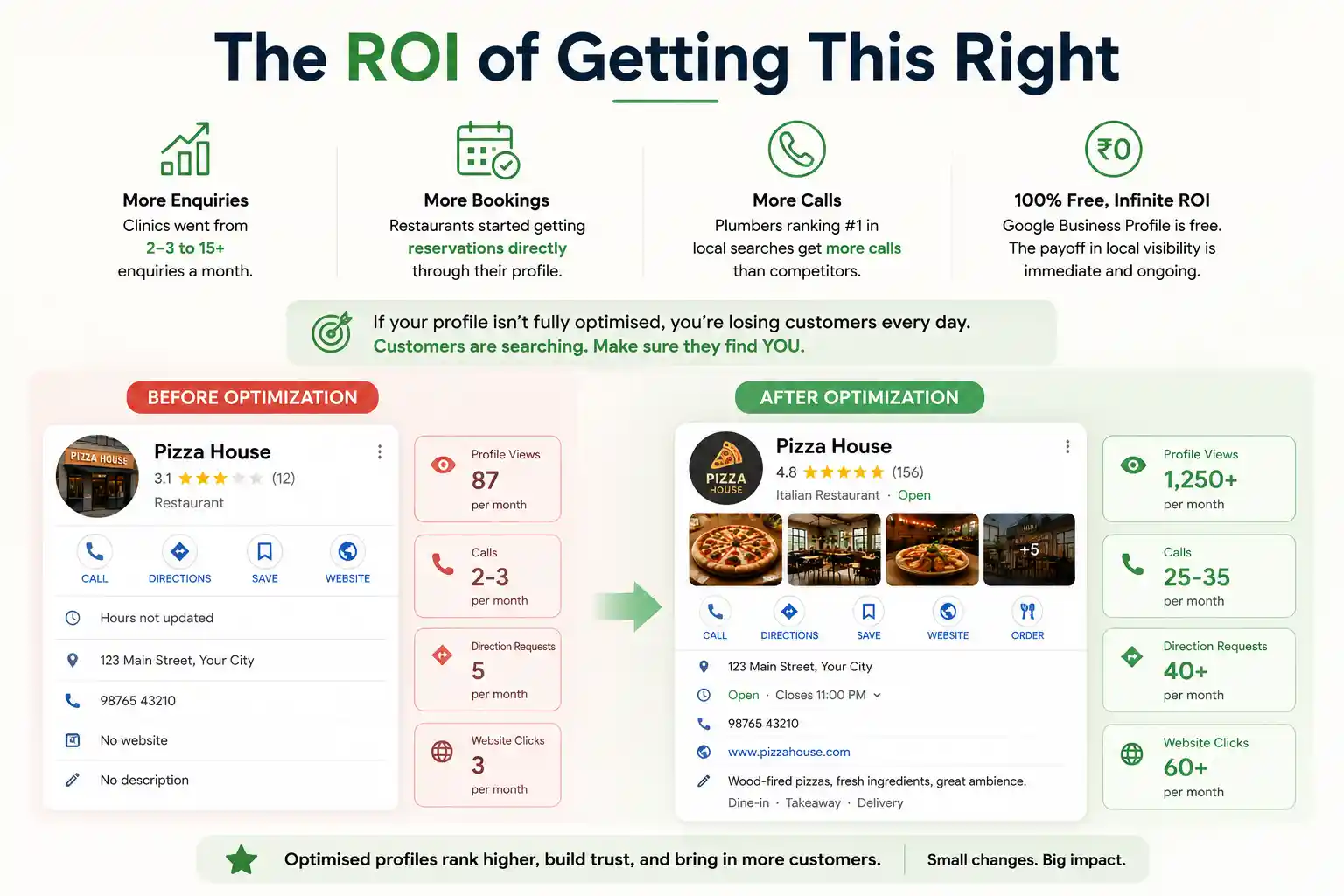
A restaurant with no online reservations can start getting bookings directly through its Google profile. A plumber may show up first in local searches, with solid reviews and recent posts. He gets more calls than competitors who didn’t bother with optimisation.
Google Business Profile is free. You invest time, or money if you hire someone like us to do it, and local visibility starts building from there. ROI means return on investment, and here the investment is small.
Are you a local business? Is your Google Business Profile not fully optimised? Then it is probably costing you money every month. Customers search for what you sell and don’t find you because your profile is incomplete or ignored.
Start small and stay consistent
The businesses doing this well in India are not smarter, only more consistent. Need a hand with your own profile? Talk to us.
Want help with your local presence?
We have optimised profiles for clinics, restaurants, salons and service businesses across India. Let’s talk about getting your business found.


