
























The problem with every on-page SEO guide you’ve read
You don’t, because getting the checklist right is not what on-page SEO (search engine optimisation on the page itself) is really about.
I learned this the hard way. Two years ago, a fitness brand in Delhi hired us. Their pages were fully optimised: title tags with keywords, a clean URL structure, images with proper alt text. Everything the SEO playbook says to do.
They still did not rank.
The content turned out to be thin: 300 words answering a question that needed far more. They were ticking boxes instead of solving the reader’s problem. We rebuilt those pages to be useful, and the rankings followed. We did not change the title tags or fiddle with keyword placement.
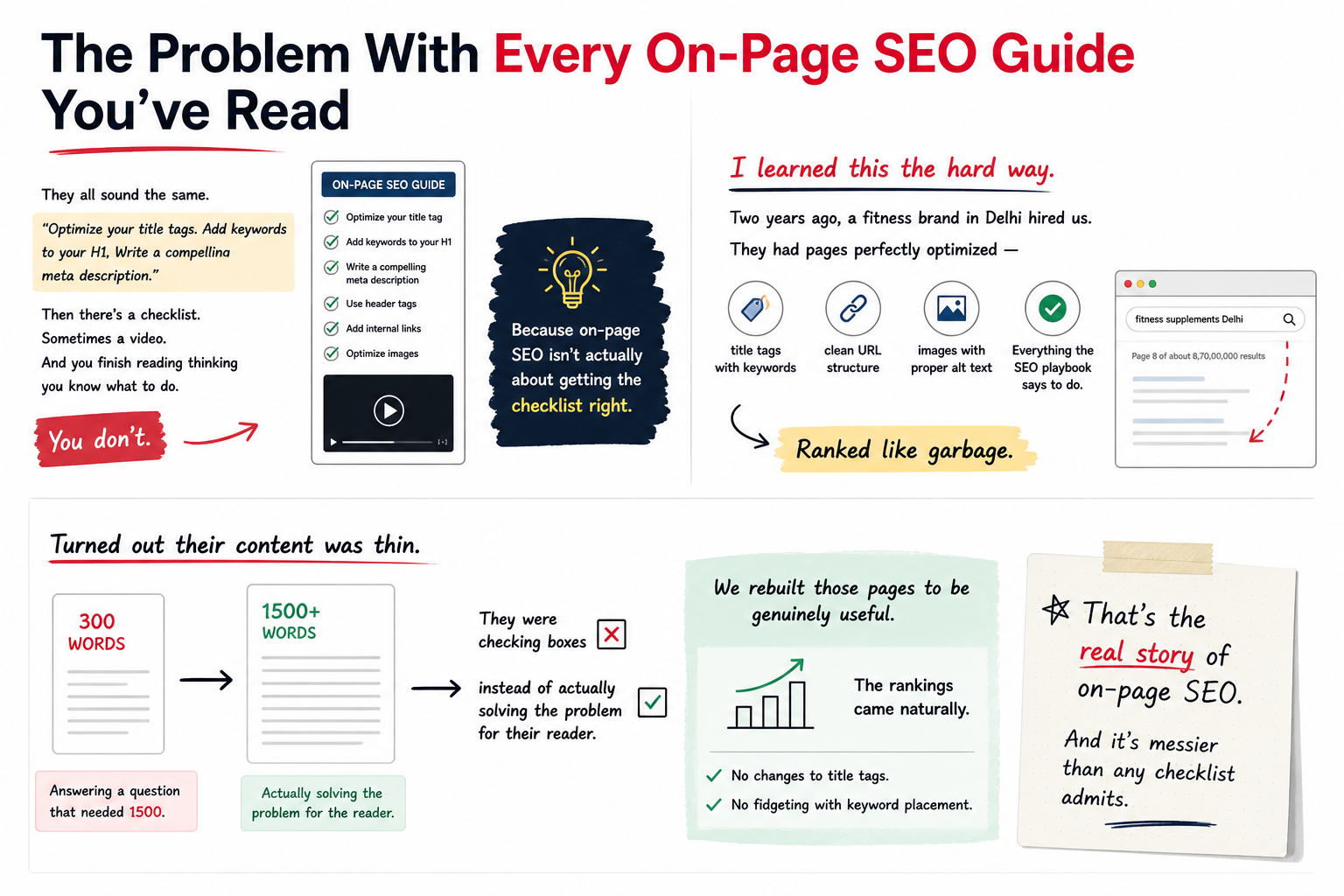
On-page SEO is messier than any checklist admits.
What on-page SEO is, and why most people get it wrong
On-page SEO is every signal that lives on your page: title, description, headings, content quality, page speed, mobile responsiveness, internal linking, structured data and images.
Many agencies treat this like a formula: hit all these elements and you rank. It doesn’t work that way.
Google’s job is to show the most useful result for a specific search. Your job is to make a page that is that result.
The checklist approach looks at mechanics. Google looks at outcomes. Does this page answer the question? Is it reliable? Is it fast enough to read without pain? Can mobile users move around it easily?
Fix those things and the “optimisation” happens automatically.
Title tags: the thing everyone gets partially right
Your title tag is still one of the strongest signals you control. It tells Google what the page is about. It’s what shows up in search results. It’s the first impression.
Most guides tell you to put your keyword at the beginning, in a “Keyword | Brand Name” format. That works, but it is not the only thing that works.
A better way is to write a title someone would actually click on when they see it on Google, one that makes them think “yes, this is what I was looking for.”
One of our clients, a manufacturing equipment supplier from Ahmedabad, had a title like “Industrial Pumps | XYZ Equipment India.” That is decent. Their competitor’s title was “Best Industrial Pump Price in Ahmedabad: Instant Quote.” It targets basically the same keyword, but it gives the searcher a reason to click.
Include your keyword, but write for humans first and algorithms second.
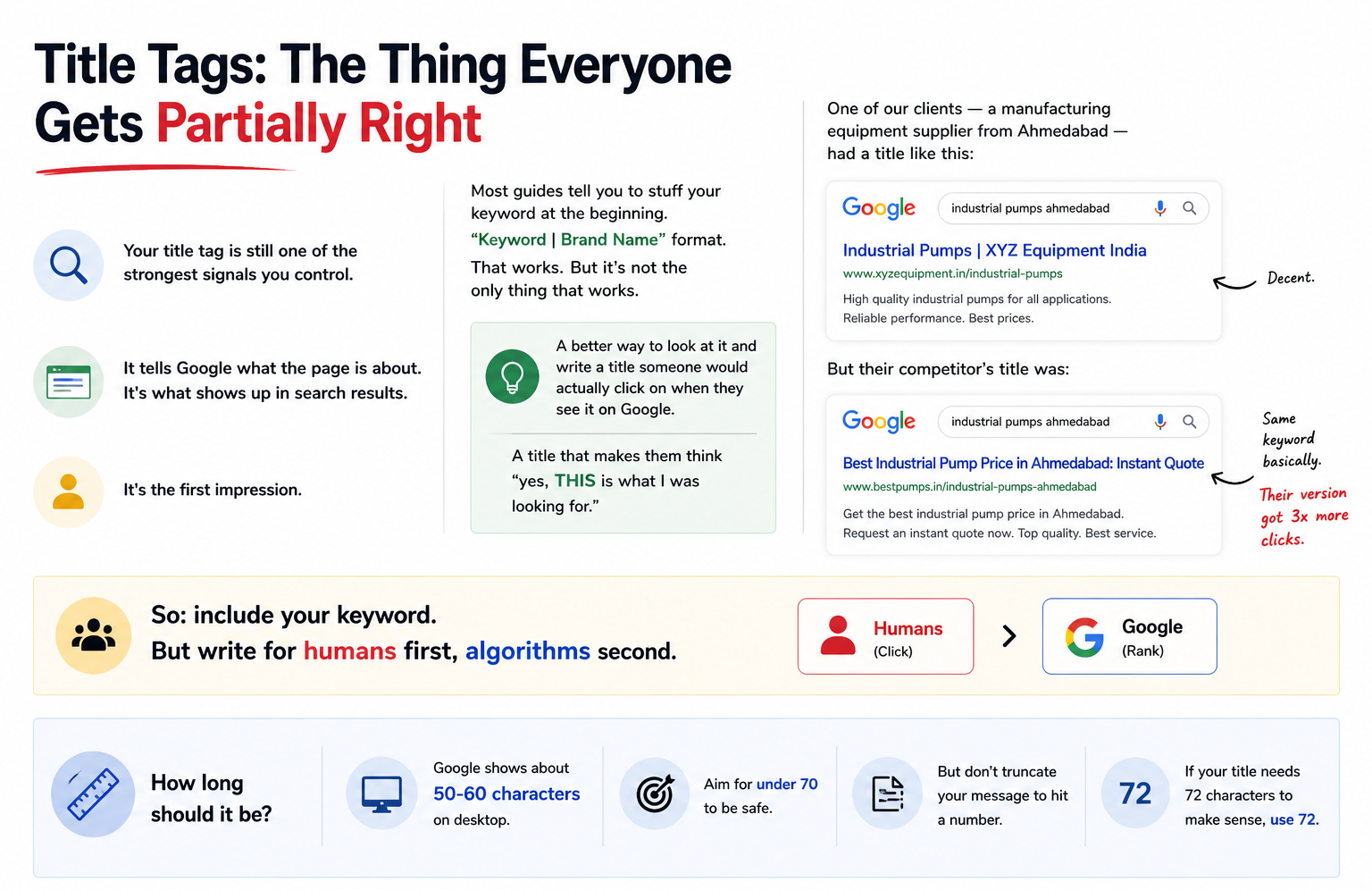
How long should it be?
Google shows about 50-60 characters on desktop. Aim for under 70 to be safe. But don’t truncate your message to hit a number. If your title needs 72 characters to make sense, use 72.
Meta descriptions (where most people waste time)
Google does not use your meta description (the short text under your title in search results) to rank your page.
Google shows it in the search results, sometimes. If it thinks yours is poor, it may generate one itself.
So why write one? It influences clicks. The line under your title can decide whether someone visits or skips your result. It works as marketing more than as SEO.
I’ve seen meta descriptions matter more for long-tail keywords where three results are all roughly equal in authority. The best description wins the clicks. And more clicks tell Google your result is relevant, which helps rankings. Indirect, but real.
Write them naturally, at about 155 characters. Include your main keyword if it fits. Give the reader a quick reason to click.
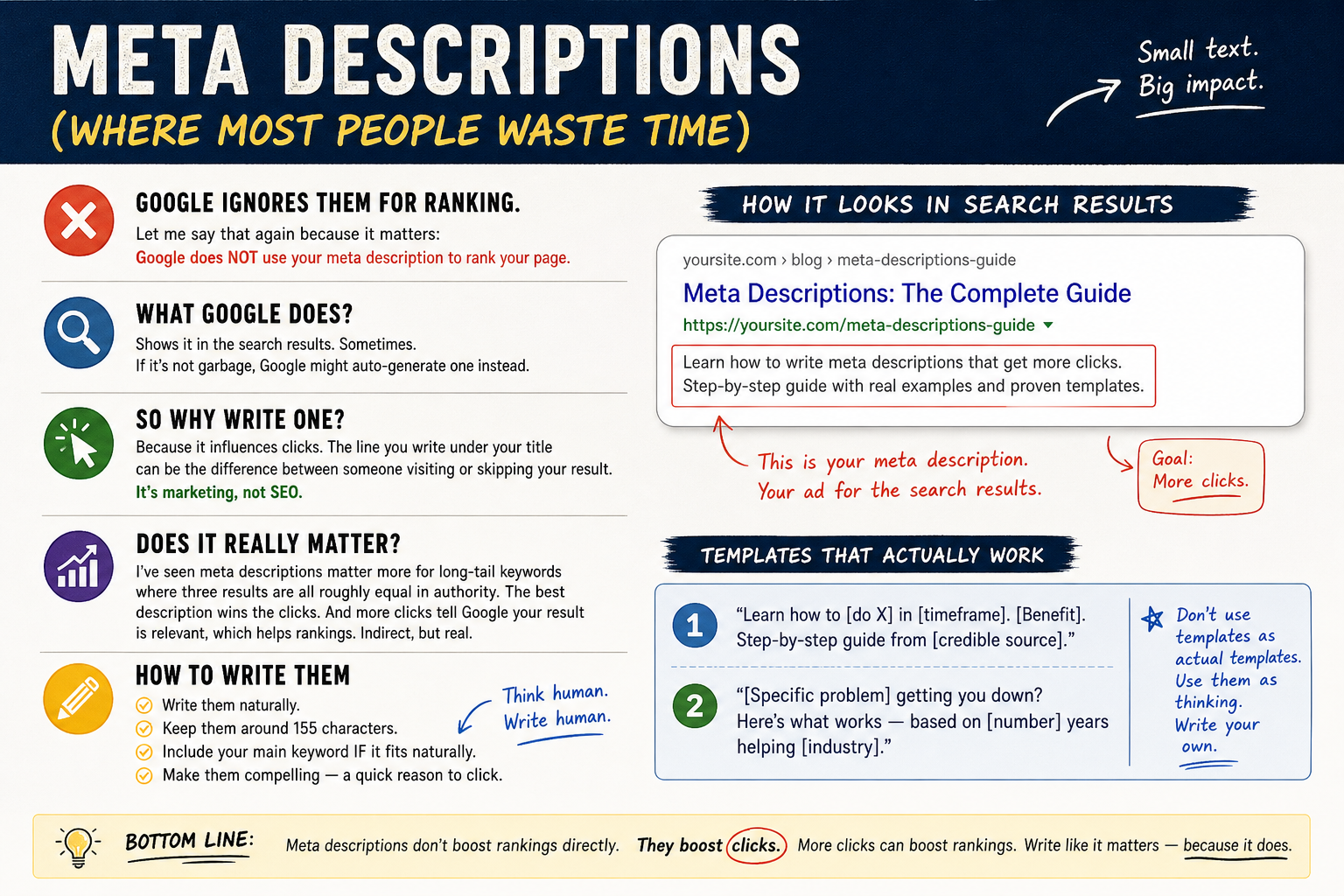
Templates that actually work
“Learn how to [do X] in [timeframe]. [Benefit]. Step-by-step guide from [credible source].”
Or: “[Specific problem] getting you down? Here’s what works, based on [number] years helping [industry].”
Use these templates to get your thinking started, and write your own.
Content: the one thing that matters
This is the hard part, and nobody wants to hear it because it takes real work.
Your page needs to be better than the nine currently ranking for your target keyword. Better how? More complete, more specific and more honest about what works.
We worked with a real estate consultant in Pune who wanted to rank for “property investment in Pune.” It is a competitive keyword, and the top results were mostly generic listicles. She could beat them with real data: which neighbourhoods appreciate fastest, where prices are heading and which tax rules matter.
That specificity gives people a reason to link to the page and share it.
A fuller page beats a thin one, as long as the extra length is useful.
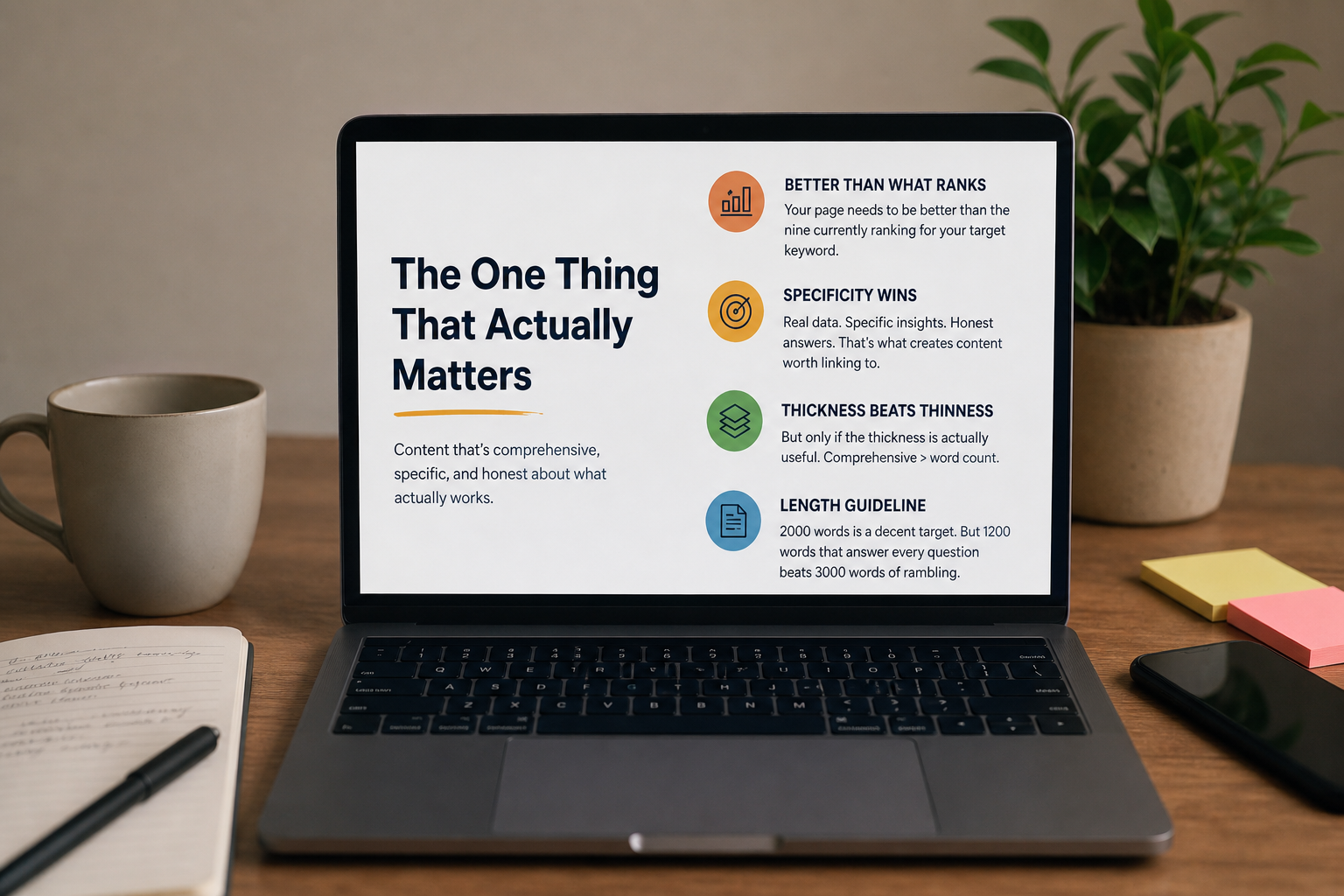
How long should content be?
2000 words is a decent target, but a 1200-word page that answers every question beats a 3000-word rambling mess.
Length can show that a page covers a topic fully. It is not a magic number.
Headings, URL structure and the things beginners obsess over
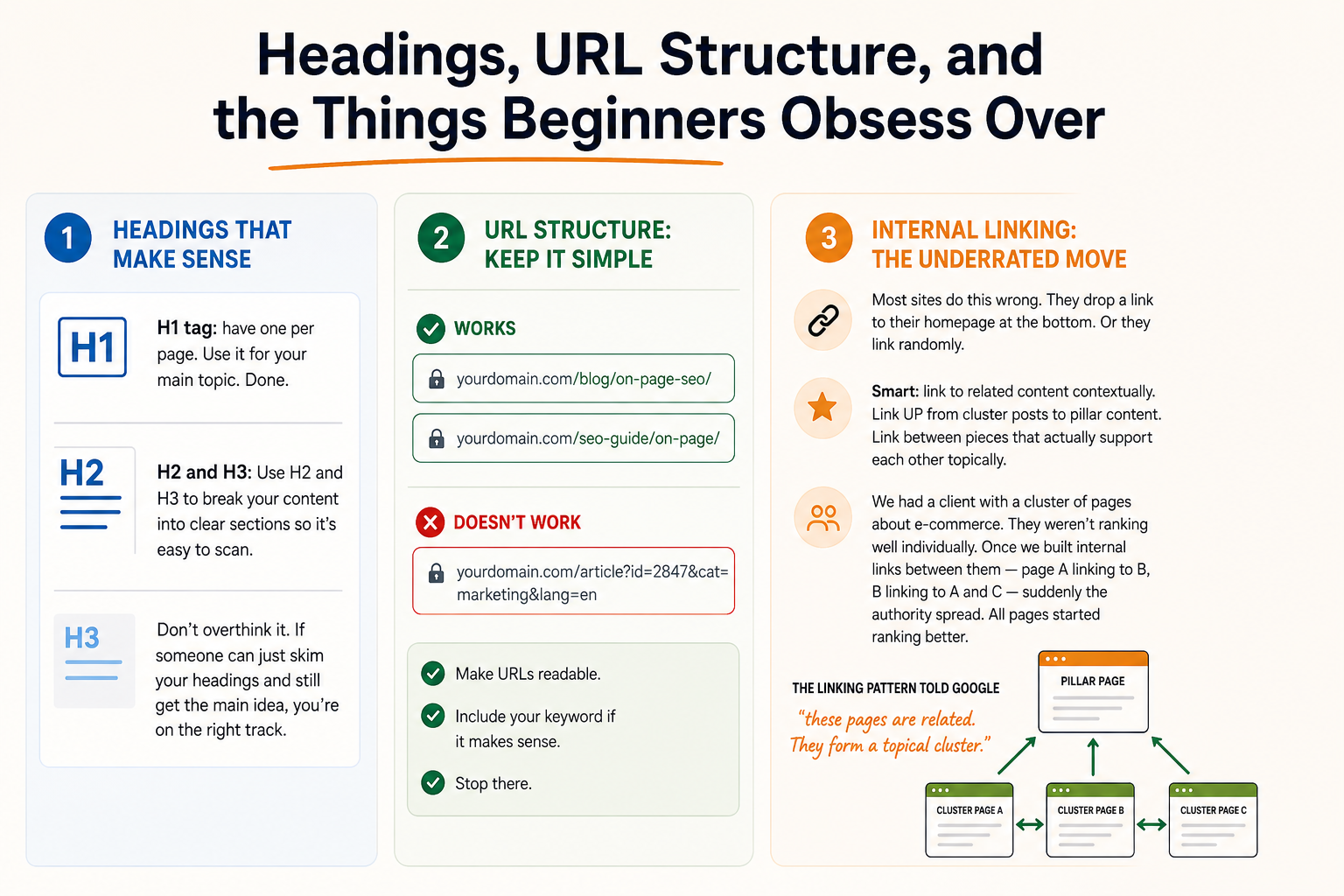
Have one H1 tag per page and use it for your main topic. Done.
Use H2 and H3 headings to break your content into clear sections so it’s easy to scan. Don’t overthink it. If someone can skim your headings and still get the main idea, you’re on the right track.
Keep your URL structure simple. /blog/on-page-seo/ works. So does /seo-guide/on-page/. What doesn’t work: /article?id=2847&cat=marketing&lang=en.
Make URLs readable. Include your keyword if it makes sense. Stop there.
Internal linking: the underrated move
Most sites do this wrong. They drop a link to their homepage at the bottom. Or they link randomly.
Link to related content in context. Link UP from cluster posts to pillar content. Link between pieces that actually support each other topically.
We had a client with a cluster of pages about e-commerce, and none of them ranked well on its own. We built internal links between them, with page A linking to B and B linking to A and C, and the pages began to support each other.
That linking pattern tells Google the pages are related and form a topical cluster.
Technical stuff that matters more than most on-page tactics
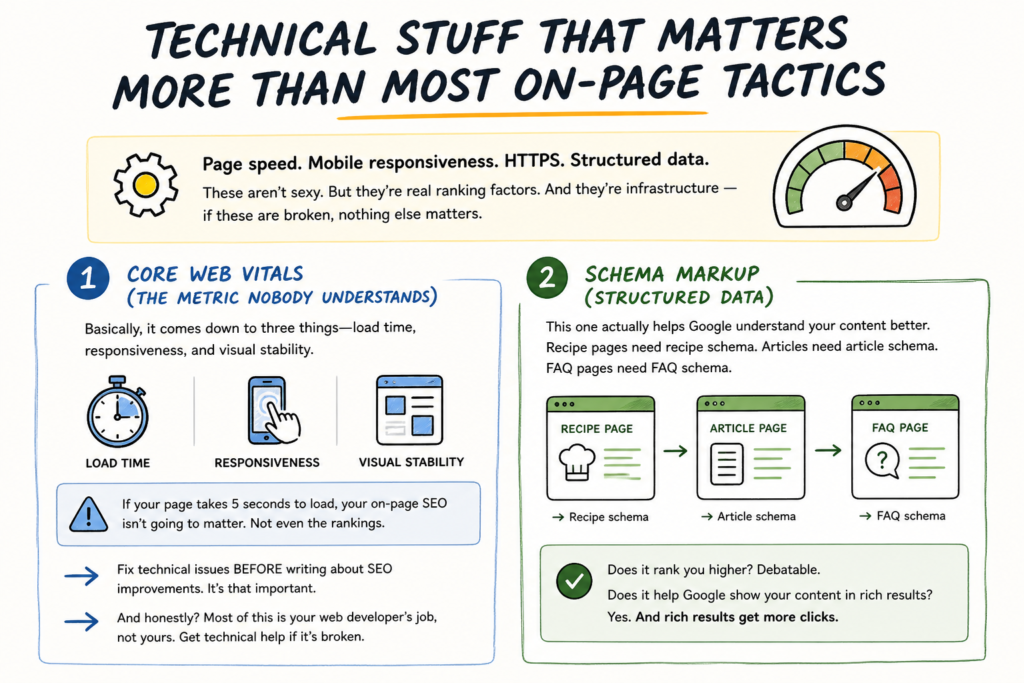
The technical side covers page speed, mobile responsiveness, HTTPS and structured data.
These are not exciting, but they are real ranking factors. They are the infrastructure, so if they are broken, nothing else matters.
1. Core Web Vitals (the metric nobody understands)
It comes down to three things: load time, responsiveness and visual stability. If your page takes 5 seconds to load, your on-page SEO is not going to matter.
Fix technical issues before you work on other SEO improvements.
Most of this is your web developer’s job. Get technical help if it’s broken.
2. Schema markup (structured data)
This one helps Google understand your content better. Recipe pages need recipe schema. Articles need article schema. FAQ pages need FAQ schema.
Does it rank you higher? Debatable. Does it help Google show your content in rich results? Yes. And rich results get more clicks.
Image optimisation: smaller than you think, but still worth doing
Compress images, because large images slow down your page.
Write alt text that describes what the image shows. It is there for accessibility and screen readers, but Google reads it too, so use it naturally.
A file name like “image-1.jpg” is worse than “on-page-seo-checklist.jpg.” The file name is a weak signal, but still a signal.
Don’t overthink images. They support the content.
A story that shows why checklists fail
Last year we worked with a dental clinic in Jamshedpur. They had a blog about teeth whitening treatments. Every page followed the checklist: title optimised, H1 included, meta description written, 800 words of content, internal links added.
Nothing ranked.
We dug in. They were writing about teeth whitening for patients, but most of the search demand came from dentists looking for supplies. Two different audiences, same keyword.
So we rewrote three pages for dentists, covering supplier recommendations, cost comparisons and professional techniques. The content was more technical and less polished, but it answered the question people were searching for.
The checklist stayed the same. The audience and the content changed, and so did the results.
The checklist only works if you’re solving the right problem for the right person.
How to put this into practice
Start by auditing your current pages. Are they better than the competitors that rank? Or are they just ticking boxes?
If they’re thin, expand them. If they’re unfocused, rewrite them to target a specific search intent. If they’re slow, fix the speed before anything else.
Fix titles and descriptions on your high-priority pages first, the ones getting traffic.
For internal linking, spend an afternoon mapping your site by topic. Which pages should link to which? Start connecting them.
On the technical side, get a web team involved. Core Web Vitals are non-negotiable.
Then write better content. All the on-page optimisation in the world can’t make up for mediocre content. Invest in content strategy. Checklist tactics alone are not enough.
Why agency-grade on-page work beats DIY
You can do on-page SEO yourself. The tactics are learnable.
What’s hard is knowing when to optimise, what to optimise for and whether the optimisation will matter in your situation.
That’s where strategy comes in. Vinnay from our team would probably say it better, as he cares a lot about this, but the idea is simple: good tactics on the wrong page rank nothing. Where you put the effort matters.
We’ve spent 11 years learning which optimisations move rankings and which ones are busy-work. Reach out if you want our help.


