
























Adobe Creative Suite is the better option for businesses that need professional branding and logo design. It also suits print-ready artwork, advanced photo editing, video production and complete creative control. Many businesses use both tools together. They use Canva for fast, everyday content creation. They use Adobe Creative Suite for high-quality branding and complex design projects. That gives them speed, flexibility and professional results. We apply the same tool-pairing approach across every creative designing project. The right tool for the right job.
The question we get asked every week
“Should we switch to Canva? It looks easier than what we’re using.”
Or the flip side: “Why can’t Canva do what we need? Everything we see online uses Canva.”
Both statements are true. And neither tells the full story.
The honest answer is: it depends on what you’re actually trying to do. And most businesses don’t think about that clearly before choosing a tool. We’re professionals.
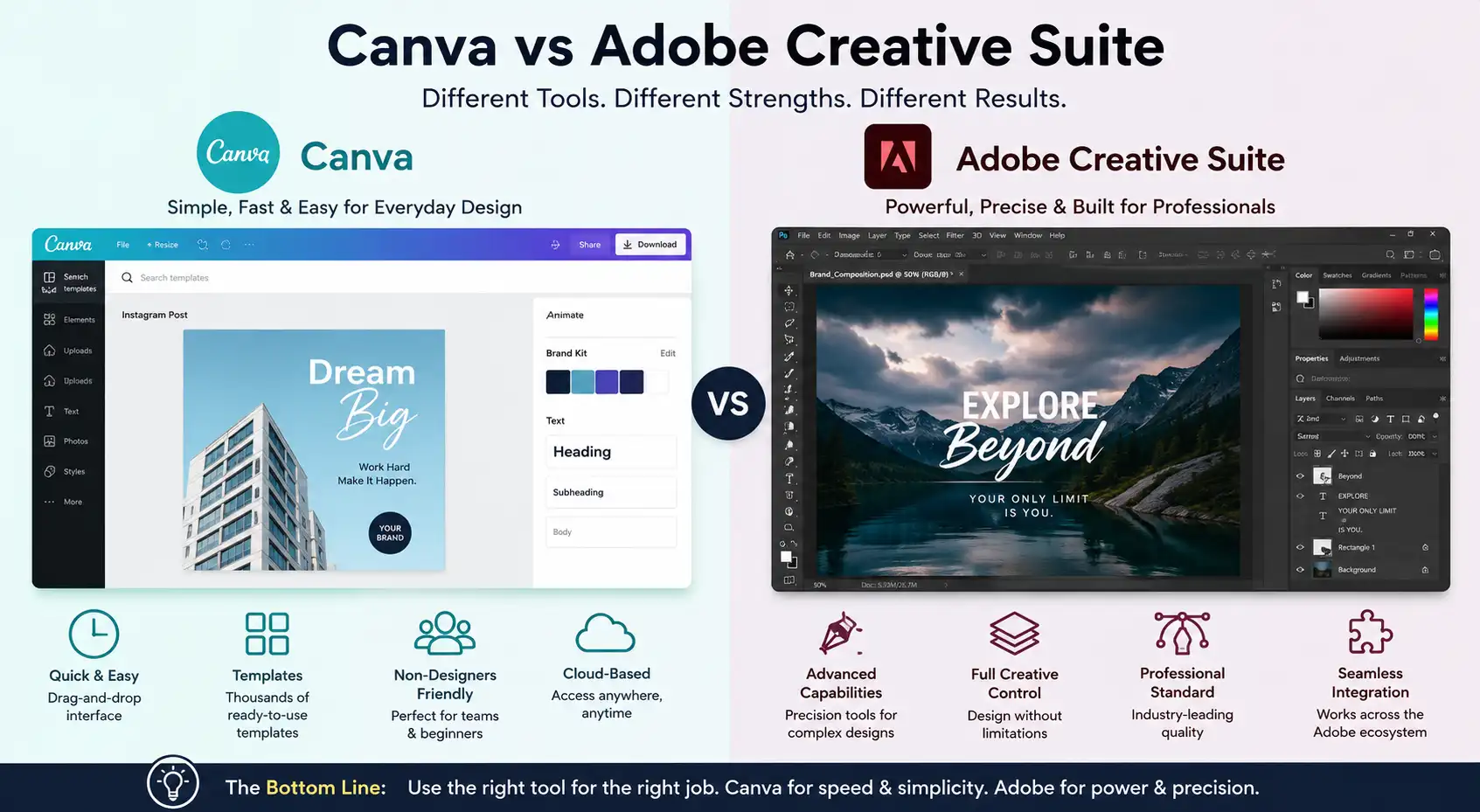
A quick Canva overview and why it became so popular
Canva launched in 2013. Before that, making even basic graphics meant learning Photoshop. Or hiring a designer. Neither option worked for small businesses.
Canva changed that. Drag-and-drop. Templates. Stock photos built in. No learning curve. Rs 6,000-7,000 yearly for the Pro version (or free with limited options). Anyone could make something that looked decent in 15 minutes.
That’s why so many brands use it.
What Canva does brilliantly: social media templates. Designs that resize automatically for different platforms. Thousands of templates. Quick iterations. Affordable. Beautiful results for non-designers.
What it struggles with: deep customisation. Brand consistency enforcement. Complex layouts. Professional print work. Anything that needs precise control.
Adobe Creative Suite Overview
Adobe’s been around since 1982. Photoshop. Illustrator. InDesign. Premiere Pro. Acrobat. The industry standard for a reason.
We use all of them here. Have for years. Sayantan would get uncomfortable if we said we were dropping Adobe for anything. It’s that much a part of professional design workflows.
Why? Because you can do absolutely anything. Pixel-perfect control. Professional-level output. Industry compatibility. Your brand files open on any designer’s computer without issues.
What Adobe does: everything. Complex illustrations. Photo retouching. Print-ready documents. Motion graphics. Brand identity systems. Anything requiring precision and power.
What it requires: learning. Time. Money. The subscription is expensive. Multiple apps easily run Rs 2,000+ monthly. And you need skills to actually use these tools well.
Canva strengths
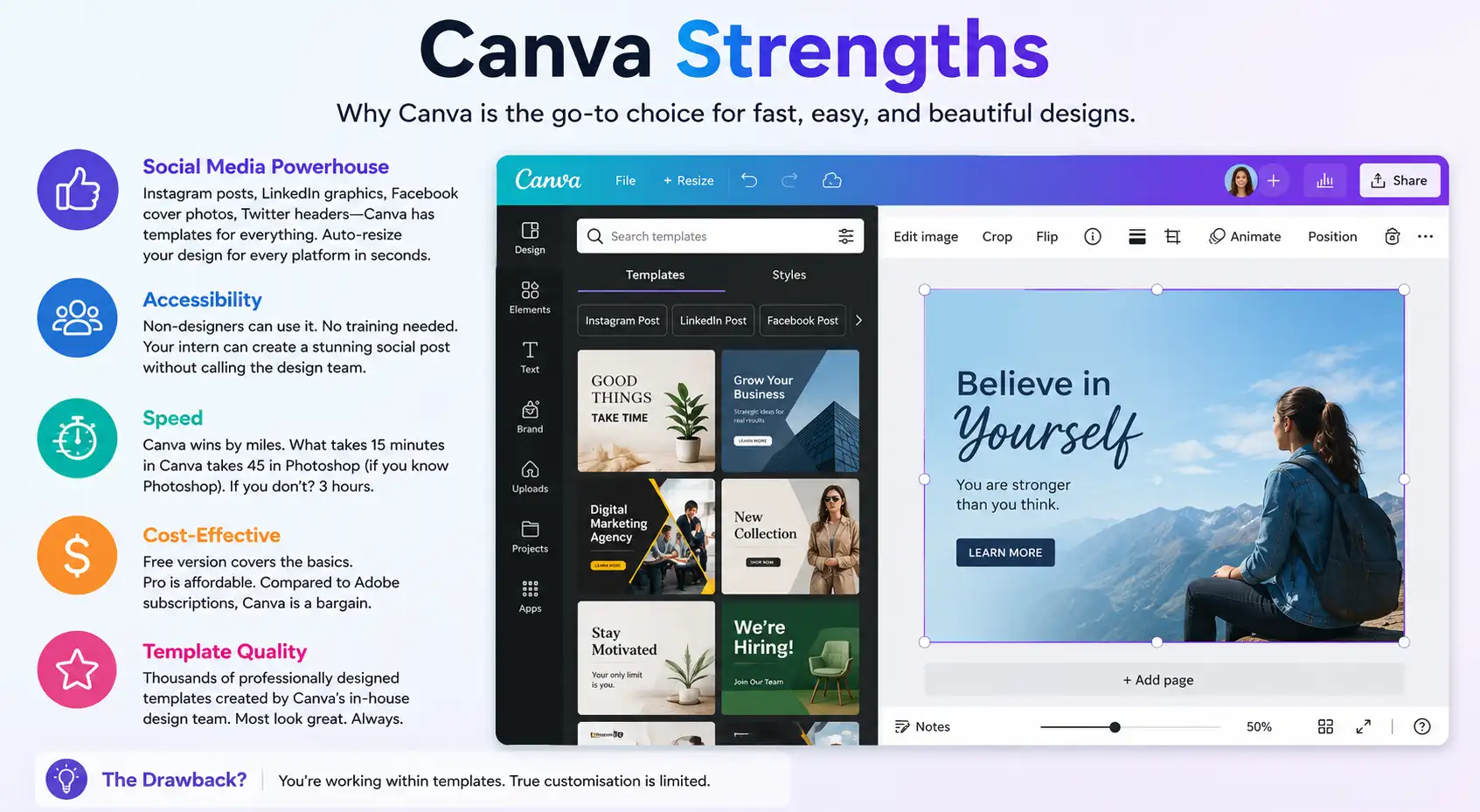
- Social media is where it dominates. Instagram posts. LinkedIn graphics. Facebook cover photos. Twitter headers. Canva has templates for everything. And it auto-resizes. Create one post in 1080×1080. Canva automatically creates versions for every platform. That’s incredibly useful. For brands running a social media optimisation strategy at scale, this speed advantage is what makes consistency possible. Such brands post daily across many platforms.
- Accessibility. Non-designers use it. No training needed. Your intern can make a social post without calling the design team. This is not a small thing for businesses that move fast.
- Speed. Canva wins here by miles. What takes 15 minutes in Canva takes 45 in Photoshop if you know Photoshop. If you don’t know Photoshop? 3 hours.
- Cost. Free version covers basics. Pro is affordable. Compare that to Adobe subscriptions and Canva looks like a bargain.
- Template quality. Their design team has created thousands. Most look good. Most are professionally designed.
The drawback? You’re working within templates. True customisation is limited.
Adobe Creative Suite strengths, and why professionals use it
- Complete creative control. Not limited by templates. Build exactly what you envision. Pixel-perfect alignment. Precise colour matching. Kerning control. This matters for professional work.
- Industry standard. Every designer uses Adobe. Your brand files in Photoshop? Any designer can open and edit them. Try the same with Canva designs… you’re stuck with the Canva editor. That’s a problem when you need to hand files to different people.
- Power. Complex illustrations. Retouching. Advanced typography. Motion graphics. Video editing. Audio production. Adobe covers the full creative spectrum.
- Consistency and scaling. Need to enforce brand colours, fonts, and style across 50 designs? Adobe makes this possible with master files and linked graphics. Canva doesn’t really have this feature for professional-level work.
- Print quality. Magazines. Packaging. Billboards. Anything going to print. Adobe creates files at print-ready specifications. Canva… sort of does this, but inconsistently.
- Integration. Works well with industry-standard software. Video editors. 3D tools. Printing software. Photography tools.
The cost is high. And the learning curve is real.
Direct comparison: when each tool wins
| Category | Canva | Adobe |
|---|---|---|
| Social Media Posts | Winner. Templates. Auto-resize. Speed. | Overkill. Much slower. |
| Blog Graphics | Winner. Quick. Good templates. | Can do it. Takes longer. |
| Logo Design | Not really suitable. | Winner. Professional output. |
| Brand Identity Systems | Can’t handle this properly. | Winner. Made for this. |
| Print Design | Risky. Quality inconsistent. | Winner. Print-ready files. |
| Photo Retouching | Basic filters only. | Winner. Professional-grade. |
| Speed | Winner. 15-30 minutes for most projects. | Slower. 1-3 hours for same projects. |
| Cost | Winner. Rs 500-700/month or free version. | Expensive. Multiple tools needed. |
| Learning Curve | Winner. Anyone can use it. | Steep. Requires real training. |
| Professional Output Quality | Good for templates. Custom work: average. | Winner. Industry-standard quality. |
When Canva works for business
Canva is good for specific use cases. We use it too. Even our designers use Canva sometimes.
- Social content at scale. You’re publishing 5-10 posts weekly. They go across Instagram, LinkedIn, Facebook. Canva lets your team move fast without design knowledge. That’s valuable. This speed is what makes the social media content creation strategy actually doable. Consistency at volume is impossible if every post requires a professional designer.
- Quick marketing materials. One-off social ads. Email header images. Blog post cover graphics. Simple stuff that needs to look good but doesn’t require deep customisation.
- Internal presentations. PowerPoint alternatives. Pitch decks. Team announcements. Canva handles this better than PowerPoint honestly.
- Collaboration with non-designers. Client needs a version of a design tweaked. Instead of going back to your designer, give them a Canva template and let them modify it. Faster. Gets the job done.
- Budget constraints. Early-stage startup? Limited budget? Canva lets you create professional-looking graphics for almost nothing. That’s real value.
When Adobe becomes necessary
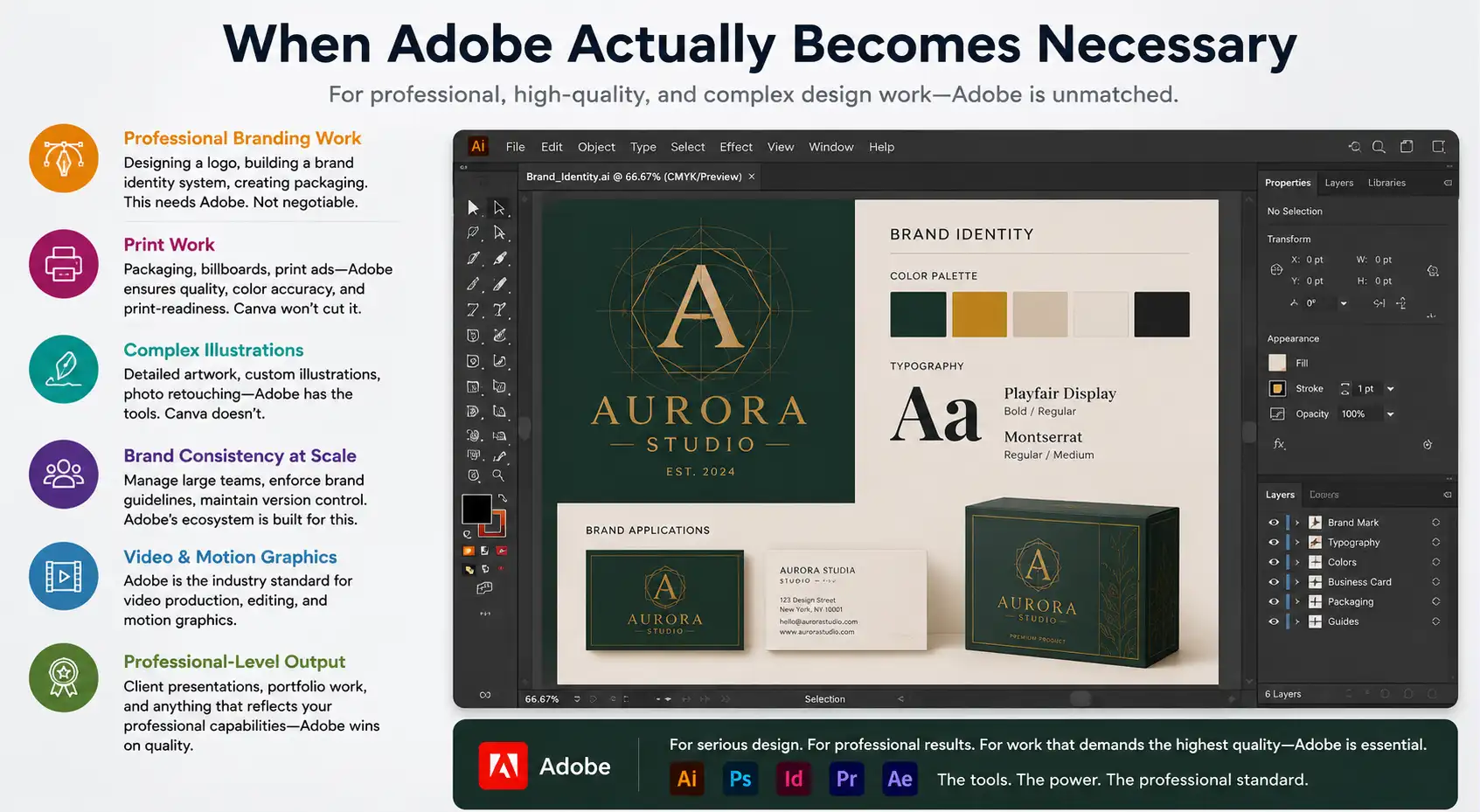
- Professional branding work. Designing a logo. Building a brand identity system. Creating packaging. This needs Adobe. Not negotiable.
- Print work. If your design is going on packaging, billboards, or print advertisements, you need Adobe for quality and print-readiness. Canva won’t cut it.
- Complex illustrations. Anything beyond simple graphics. Detailed artwork. Custom illustrations. Photo retouching. Adobe has the tools. Canva doesn’t.
- Brand consistency at scale. Managing designs across a large team. Enforcing brand guidelines. Version control. Adobe’s ecosystem handles this. Canva’s not built for it.
- Video and motion graphics. If you’re producing videos, Adobe is the standard. Premiere Pro. After Effects. Motion graphics work. As we cover in our guide on why video marketing is the ultimate tool for promoting businesses, video is no longer optional for most brands. If you’re producing video seriously, you need Adobe’s editing and motion tools, not Canva’s basic video tools.
- Professional-level output. Client presentations. Portfolio work. Anything that reflects your professional capabilities. Adobe wins on quality.
The pricing reality: what people pay
Canva Pro costs roughly Rs 700/month or Rs 6,000-7,000 yearly. You get better templates, stock photos, and the ability to resize designs for different platforms.
Adobe Creative Cloud (the full suite) costs Rs 1,500-2,500/month depending on your plan. If you need just Photoshop, it’s less. If you need everything, expect to pay.
Cost-wise? Canva is cheaper. Way cheaper. If you only need social content, the answer is simple: Canva wins on price.
But here’s what people don’t calculate: the value of your time. Say a job takes 3 hours in Adobe but 15 minutes in Canva. If your time is worth Rs 1,000 an hour, that graphic has cost you Rs 3,000. Suddenly Canva being cheaper makes sense.
On the flip side, a professional branding job in Canva can take 20 rounds to get close, while an experienced Adobe user gets there in 3. Those rounds add up.
The workflow we use
Our team? We use both. It’s not an either-or situation in practice.
Quick social posts? Canva. Fast. Consistent. Looks good. Takes 20 minutes.
Client brand work? Adobe. Logo. Brand guidelines. Packaging design. Print materials. We need the control and the professional output.
Website graphics? Canva for quick iterations, Adobe for final production work.
Videos and motion? Adobe exclusively.
This hybrid approach works because we understand what each tool is designed for.
How to decide
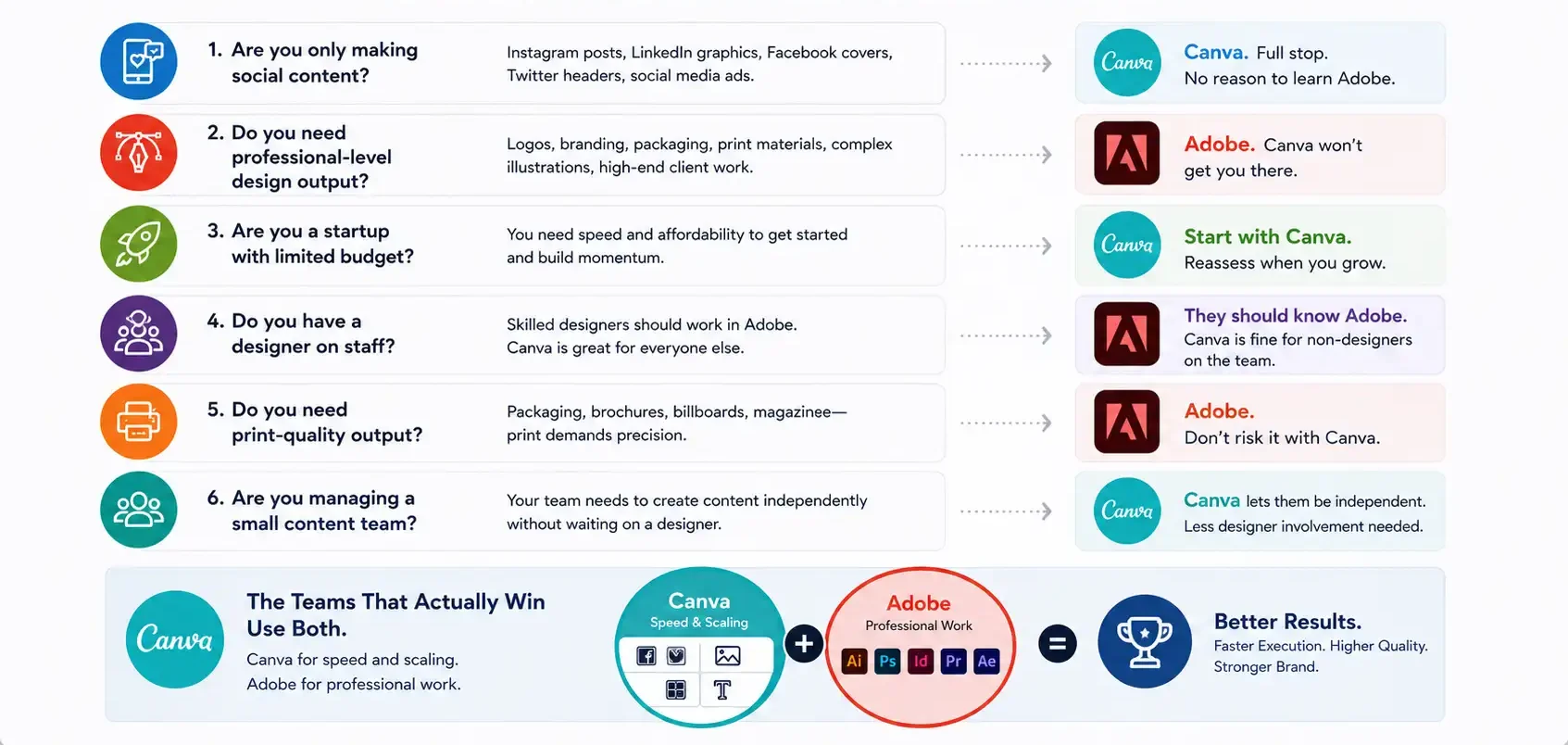
Are you only making social content? Canva. Full stop. No reason to learn Adobe.
Do you need professional-level design output? Adobe. Canva won’t get you there.
Are you a startup with limited budget? Start with Canva. Reassess when you grow.
Do you have a designer on staff? They should know Adobe. Canva is fine for non-designers on the team.
Do you need print-quality output? Adobe. Don’t risk it with Canva.
Are you managing a small content team? Canva lets them be independent. Less designer involvement needed.
The teams that actually win use both. Canva for speed and scaling. Adobe for professional work. Not one or the other.
The tool is not the constraint
Most teams don’t fail because they’re using the wrong tool.
They fail because they don’t have a design system. Or clear brand guidelines. Or someone who actually understands design principles.
You can give a non-designer Adobe and they’ll struggle. You can give a good designer Canva and they’ll create something interesting.
The tool matters. The person behind the tool matters more.
Ready to build professional creative design for your brand?
We help brands choose the right tools and execute designs that actually work. Let’s talk about your design needs.


