-
Author: Anindita Barik
-
Updated Date: May-04-2026
-
Views: 2 Min Read
On-page SEO works by making your page the most useful result for a search query. To rank, focus on matching search intent, creating high-quality content, optimizing title tags for clicks, improving page speed, and using internal links. Technical elements like Core Web Vitals and structured data support performance, but rankings primarily depend on how well your content answers the user’s query.
The Problem With Every On-Page SEO Guide You’ve Read
They all sound the same. “Optimize your title tags. Add keywords to your H1. Write a compelling meta description.” Then there’s a checklist. Sometimes a video. And you finish reading thinking you know what to do.
You don’t. Because on-page SEO isn’t actually about getting the checklist right.
I learned this the hard way. Two years ago, a fitness brand in Delhi hired us. They had pages perfectly optimized — title tags with keywords, clean URL structure, images with proper alt text. Everything the SEO playbook says to do.
Ranked like garbage.
Turned out their content was thin. 300 words answering a question that needed 1500. They were checking boxes instead of actually solving the problem for their reader. We rebuilt those pages to be genuinely useful. The rankings came naturally. No changes to title tags. No fidgeting with keyword placement.
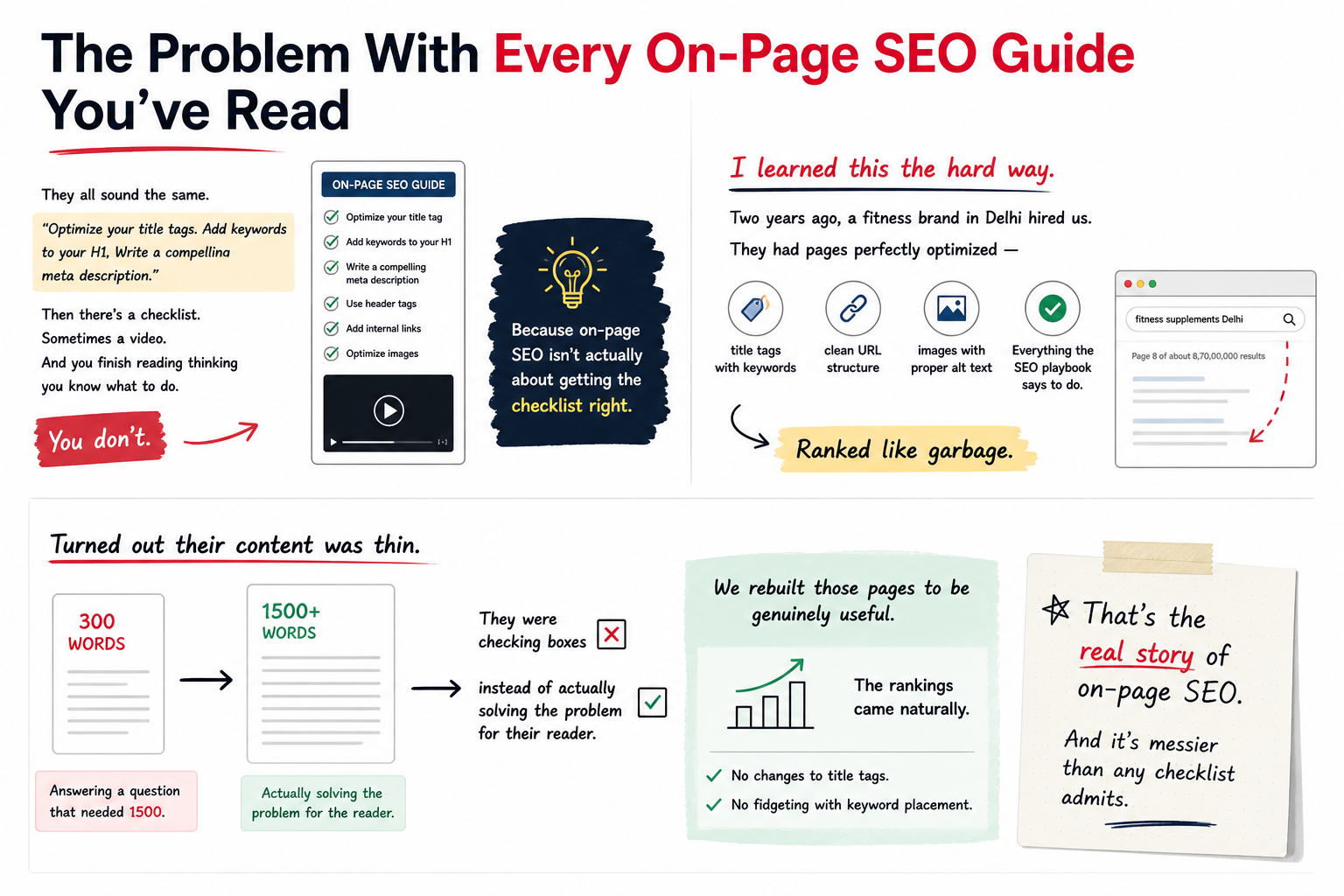
That’s the real story of on-page SEO. And it’s messier than any checklist admits.
What on-page SEO Actually Is (And Why Most People Get It Wrong)
On-page SEO is every signal that lives ON your page. Title. Description. Headings. Content quality. Page speed. Mobile responsiveness. Internal linking. Structured data. Image optimization.
Most agencies treat this like a formula. You’re supposed to hit all these elements and rank. Spoiler: it doesn’t work that way.
Google’s job is to show the most useful result for a specific search. Your job is to make a page that IS that result. See the difference?
The checklist approach assumes Google cares about mechanics. But Google cares about outcomes. Does this page answer the question? Is it reliable? Is it fast enough to read without pain? Can mobile users navigate it?
Fix those things and the “optimisation” happens automatically.
Title Tags: The Thing Everyone Gets Partially Right
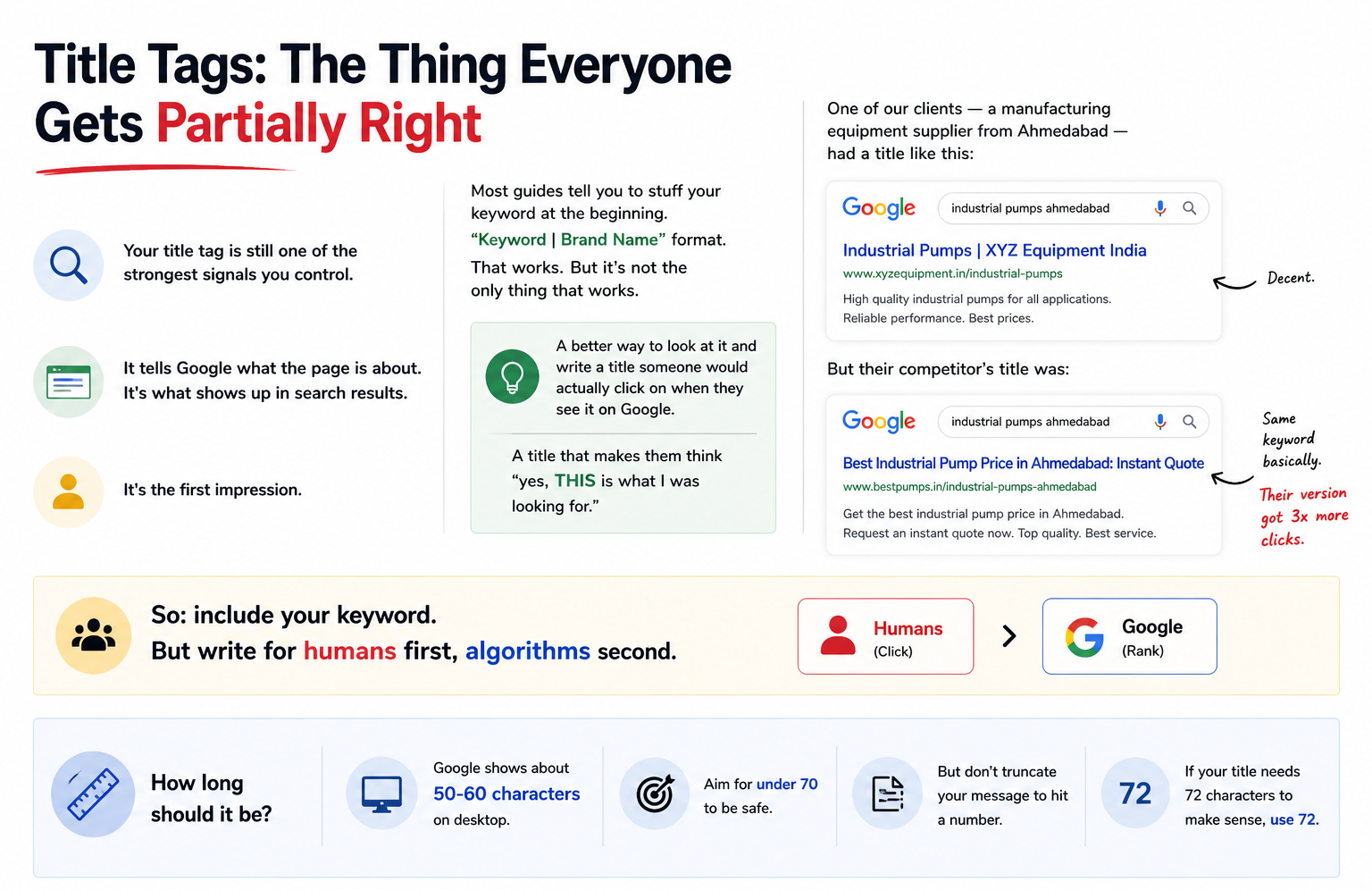
Your title tag is still one of the strongest signals you control. It tells Google what the page is about. It’s what shows up in search results. It’s the first impression.
Most guides tell you to stuff your keyword at the beginning. “Keyword | Brand Name” format. That works. But it’s not the only thing that works.
A better way to look at it and write a title someone would actually click on when they see it on Google. A title that makes them think “yes, THIS is what I was looking for.”
One of our clients — a manufacturing equipment supplier from Ahmedabad — had a title like “Industrial Pumps | XYZ Equipment India.” Decent. But their competitor’s title was “Best Industrial Pump Price in Ahmedabad: Instant Quote.” Same keyword basically. Their version got 3x more clicks.
So: include your keyword. But write for humans first, algorithms second.
How long should it be?
Google shows about 50-60 characters on desktop. Aim for under 70 to be safe. But don’t truncate your message to hit a number. If your title needs 72 characters to make sense, use 72.
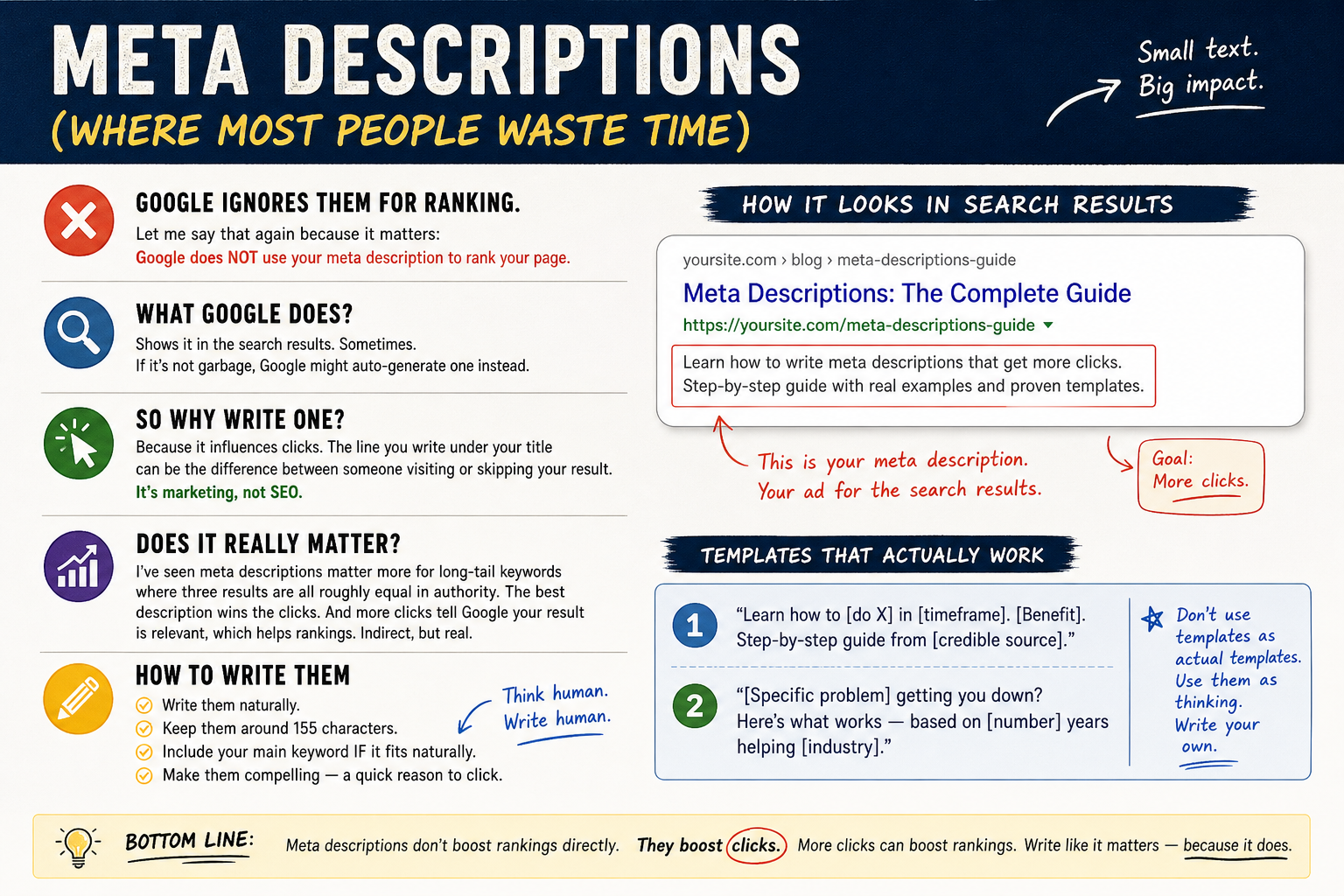
Meta Descriptions (Where Most People Waste Time)
Google ignores them for ranking. Let me say that again because it matters: Google does NOT use your meta description to rank your page.
What Google does? Shows it in the search results. Sometimes. If it’s not garbage, Google might auto-generate one instead.
So why write one? Because it influences clicks. The line you write under your title can be the difference between someone visiting or skipping your result. It’s marketing, not SEO.
I’ve seen meta descriptions matter more for long-tail keywords where three results are all roughly equal in authority. The best description wins the clicks. And more clicks tell Google your result is relevant, which helps rankings. Indirect, but real.
Write them naturally. Make them about 155 characters. Include your main keyword IF it fits naturally. And make them compelling — a quick reason to click.
Templates that actually work
“Learn how to [do X] in [timeframe]. [Benefit]. Step-by-step guide from [credible source].”
Or: “[Specific problem] getting you down? Here’s what works — based on [number] years helping [industry].”
Don’t use templates as actual templates. Use them as thinking. Write your own.
Content: The One Thing That Actually Matters
This is the hard part. And nobody wants to hear it because it requires actual work.
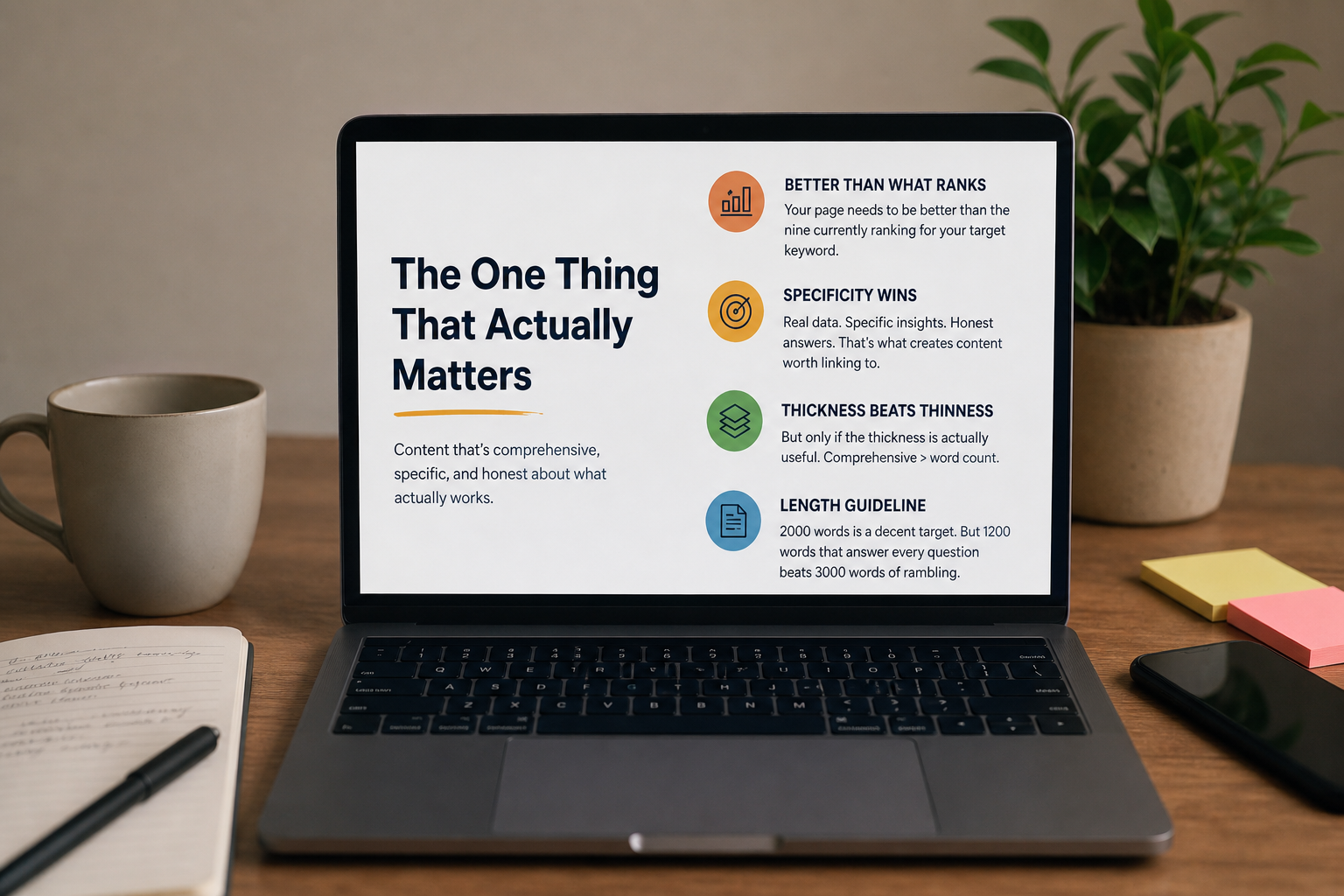
Your page needs to be better than the nine currently ranking for your target keyword. Better how? More comprehensive. More specific. More honest about what actually works.
We worked with a real estate consultant in Pune who wanted to rank for “property investment in Pune.” It’s a competitive keyword. The top results were mostly generic listicles. She could beat them by writing one thing: actual data. What neighbourhoods appreciate fastest? Where are prices heading? What tax implications matter?
That specificity created something worth linking to. Worth sharing. Worth ranking.
Thickness beats thinness. Always. But only if the thickness is actually useful.
How long should content be?
2000 words is a decent target. But a 1200-word page that answers every question beats a 3000-word rambling mess.
Length is a signal of comprehensiveness, not a magic number.
Headings, URL Structure, and the Things Beginners Obsess Over
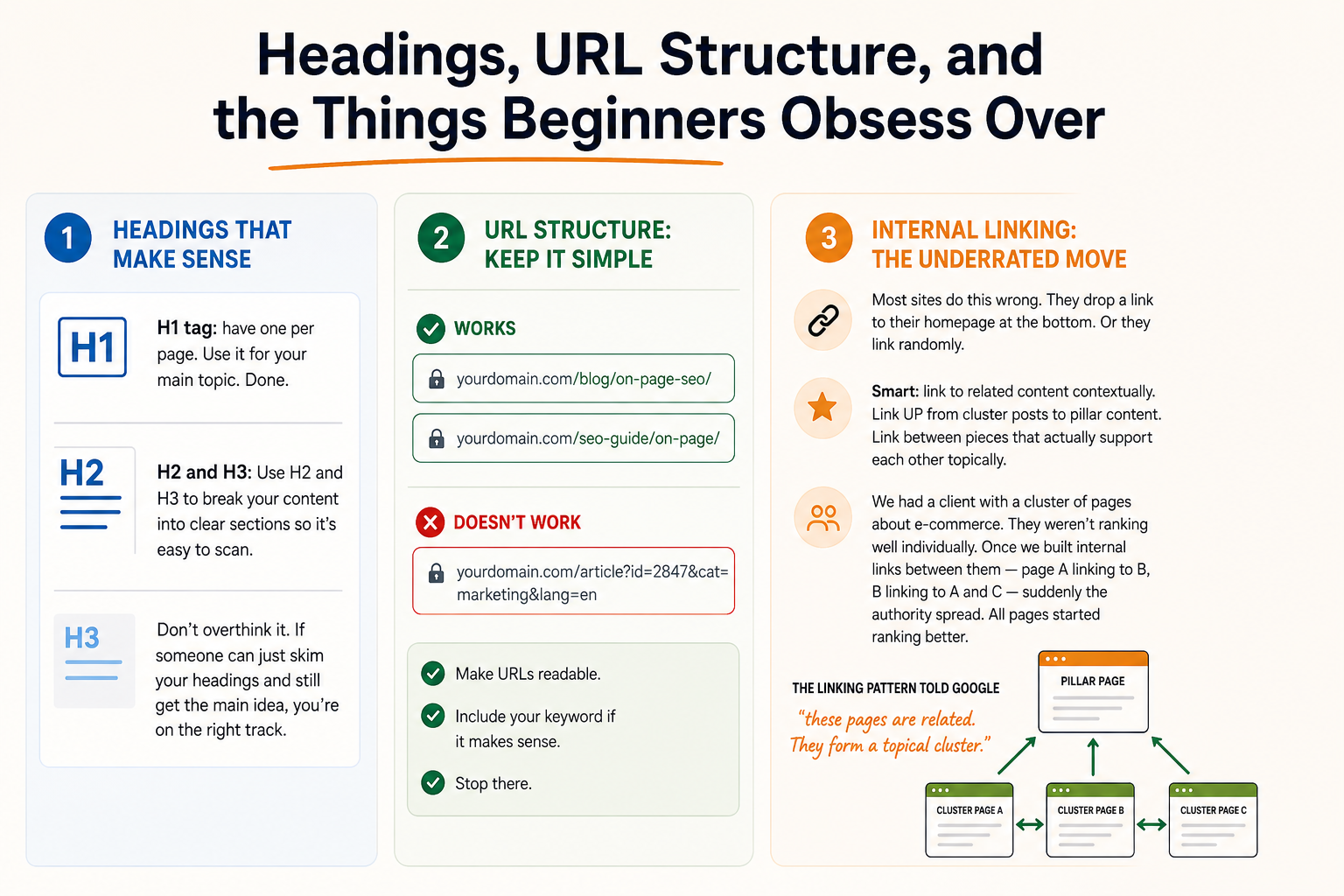
H1 tag: have one per page. Use it for your main topic. Done.
H2 and H3: Use H2 and H3 to break your content into clear sections so it’s easy to scan. Don’t overthink it. If someone can just skim your headings and still get the main idea, you’re on the right track.
URL structure: keep it simple. /blog/on-page-seo/ works. So does /seo-guide/on-page/. What doesn’t work: /article?id=2847&cat=marketing&lang=en.
Make URLs readable. Include your keyword if it makes sense. Stop there.
Internal linking: the underrated move
Most sites do this wrong. They drop a link to their homepage at the bottom. Or they link randomly.
Smart: link to related content contextually. Link UP from cluster posts to pillar content. Link between pieces that actually support each other topically.
We had a client with a cluster of pages about e-commerce. They weren’t ranking well individually. Once we built internal links between them — page A linking to B, B linking to A and C — suddenly the authority spread. All pages started ranking better.
The linking pattern told Google “these pages are related. They form a topical cluster.”
Technical Stuff That Matters More Than Most On-Page Tactics
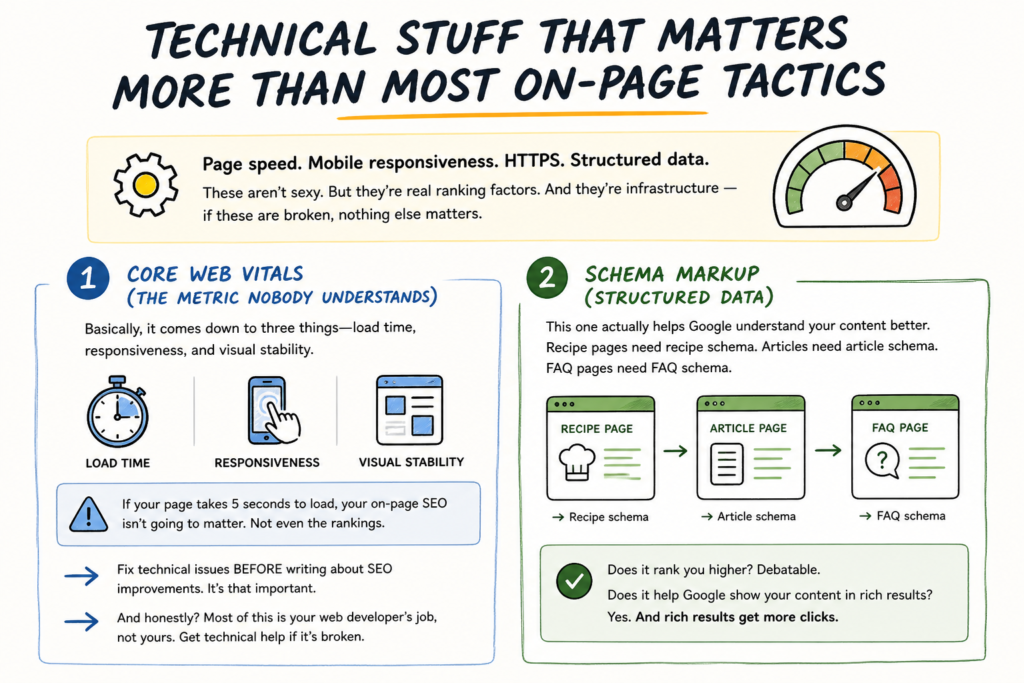
Page speed. Mobile responsiveness. HTTPS. Structured data.
These aren’t sexy. But they’re real ranking factors. And they’re infrastructure — if these are broken, nothing else matters.
1. Core Web Vitals (the metric nobody understands)
Basically, it comes down to three things—load time, responsiveness, and visual stability. If your page takes 5 seconds to load, your on-page SEO isn’t going to matter. Not even the rankings.
Fix technical issues BEFORE writing about SEO improvements. It’s that important.
And honestly? Most of this is your web developer’s job, not yours. Get technical help if it’s broken.
2. Schema markup (structured data)
This one actually helps Google understand your content better. Recipe pages need recipe schema. Articles need article schema. FAQ pages need FAQ schema.
Does it rank you higher? Debatable. Does it help Google show your content in rich results? Yes. And rich results get more clicks.
Image Optimisation: Smaller Than You Think But Still Worth Doing
File size: compress images. Large images slow down your page.
Alt text: describe what the image shows. Not for Google — for accessibility. For screen readers. But Google reads it too, so use it naturally.
File names: “image-1.jpg” is worse than “on-page-seo-checklist.jpg.” The filename is a weak signal but still a signal.
That’s it. Don’t overthink images. They’re supporting content, not the main event.
The Anecdote That Shows Why Checklists Fail
Last year we worked with a dental clinic in Jamshedpur. They had a blog about teeth whitening treatments. Every page was a checklist model — title optimized, H1 included, meta description written, 800 words of content, internal links added.
Nothing ranked.
We dug in. The issue? They were writing about teeth whitening for PATIENTS. But most search demand was dentists looking for SUPPLIES. Two completely different audiences. Same keyword.
So we rewrote three pages targeting dentists. Supplier recommendations. Cost comparisons. Professional techniques. The content was messier — more technical, less polished — but it answered the actual question people were searching for.
All three ranked within 2 months. Same checklist. Different audience. Different content. Different results.
That’s the real lesson. The checklist only works if you’re solving the right problem for the right person.
Actually Implementing This (Without Losing Your Mind)
Start with auditing your current pages. Are they genuinely better than ranking competitors? Or are they just checking boxes?
If they’re thin, expand them. If they’re unfocused, rewrite them to target a specific search intent. If they’re slow, fix the speed before anything else.
Title and description: fix these on your high-priority pages first. The ones actually getting traffic.
Internal linking: spend an afternoon mapping your site topically. Which pages should link to which? Start connecting them.
Technical: get a web team involved. Core Web Vitals are non-negotiable.
And then… write better content. All the on-page optimisation in the world can’t overcome mediocre content. Invest in content strategy — not just checklist tactics.
Why Agency-Grade On-Page Work Beats DIY
You can do on-page SEO yourself. Seriously. The tactics are learnable.
What’s hard: knowing WHEN to optimize, WHAT to optimize for, and WHETHER the optimization will actually matter for your specific situation.
That’s where strategy comes in. Vinnay from our team would probably say it better — he’s obsessed with this stuff — but basically: tactical excellence on the wrong page ranks nothing. It’s strategic placement that moves the needle.
We’ve spent 11 years figuring out which optimisations actually move rankings versus which ones are busy-work. Reach out if you want to tap into that.
FAQs
-
Does keyword density still matter?
Ans.No. I've seen pages rank for competitive keywords with the target phrase appearing just twice in 2000 words. Google figured out years ago that counting words is stupid. Fit your keyword naturally and stop obsessing about density. -
How important is the H1 tag?
Ans.Important enough that you should have one. But not so important that you agonize over it. Most pages with proper H1 tags rank fine. Most pages without them rank anyway. What matters more: does your headline tell people what the page is about? -
Should every page have a unique meta description?
Ans.Ideally yes. But if you have 500 product pages and no budget for unique descriptions, don't panic. Google will auto-generate them. What actually matters: writing descriptions that make people click in Google search results.
Author Details

Latest Posts
-
 26 / Aug
Search Engine Optimization Video SEO: How to Rank Your Videos in Google & YouTube
26 / Aug
Search Engine Optimization Video SEO: How to Rank Your Videos in Google & YouTube -
 25 / Aug
Video Production Corporate Video Production: A Practical Guide for Indian Brands
25 / Aug
Video Production Corporate Video Production: A Practical Guide for Indian Brands -
 24 / Aug
-
21 / Aug
Catalogue Design Catalogue Design: How to Create Catalogues That Actually Sell
-
 20 / Aug





Related Knowledge